Volio
VolioKitchen display system: tickets without the paper
A kitchen display shows each order as a ticket by table with a timer, on a tablet or TV you own. How it works on the line, and what a second screen costs.
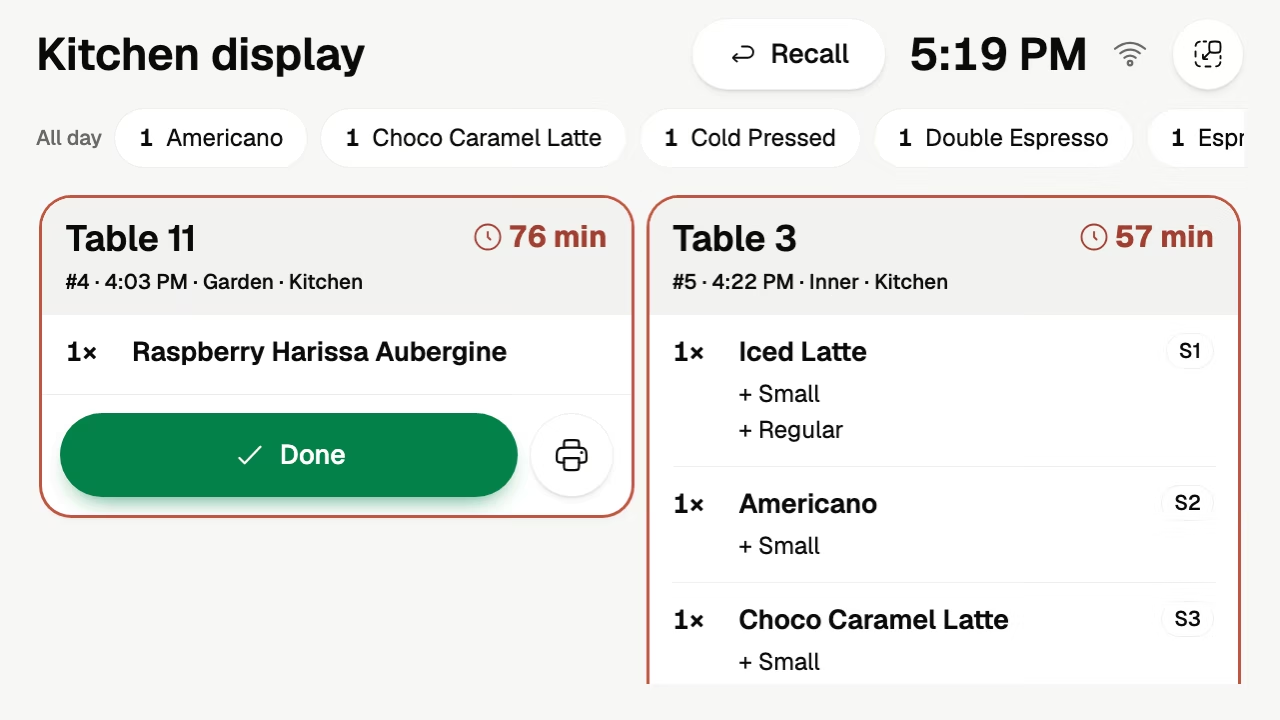
A kitchen display, often sold as a kitchen display system or KDS, is a screen where the ticket printer used to be. Each order appears on it as a ticket the moment it is placed, whether a guest tapped it at the table, a waiter took it or the POS rang it up. The cook reads the ticket, makes the food and marks it done with one tap.
Volio’s kitchen display runs in the browser on a tablet or a screen you already own, and it is in every plan.
What the cook sees
Each order is a ticket with its table and what to make. A timer on the ticket counts how long that table has been waiting, so the cook can see from the stove which ticket is oldest.
Done clears a ticket. Recall brings back one that was cleared too early, which happens to every cook around the third hour of a Friday.
Along the top, a running count adds up the same item across all open tickets. The barista sees “4 Americano” and pulls four shots in a row, without reading five tickets to find them.
Each dish to the place that makes it
Most venues make things in more than one place. In Volio you set up kitchen places, a kitchen and a bar for example, and each dish goes to the place that makes it.
A table of six orders two bottles of wine and four mains. The bar’s screen shows the wine and the kitchen’s screen shows the mains. Nobody tears a paper ticket in two and walks half of it to the bar.
Sending dishes to more than one place comes with the Essential plan.
One queue from every door
Orders reach the kitchen from guests who order and pay at the table, from waiters, from the POS, from the self-order kiosk and from the takeaway link. They all arrive as the same kind of ticket on the same screen. The kitchen does not watch one printer for the floor and a tablet for pickup.
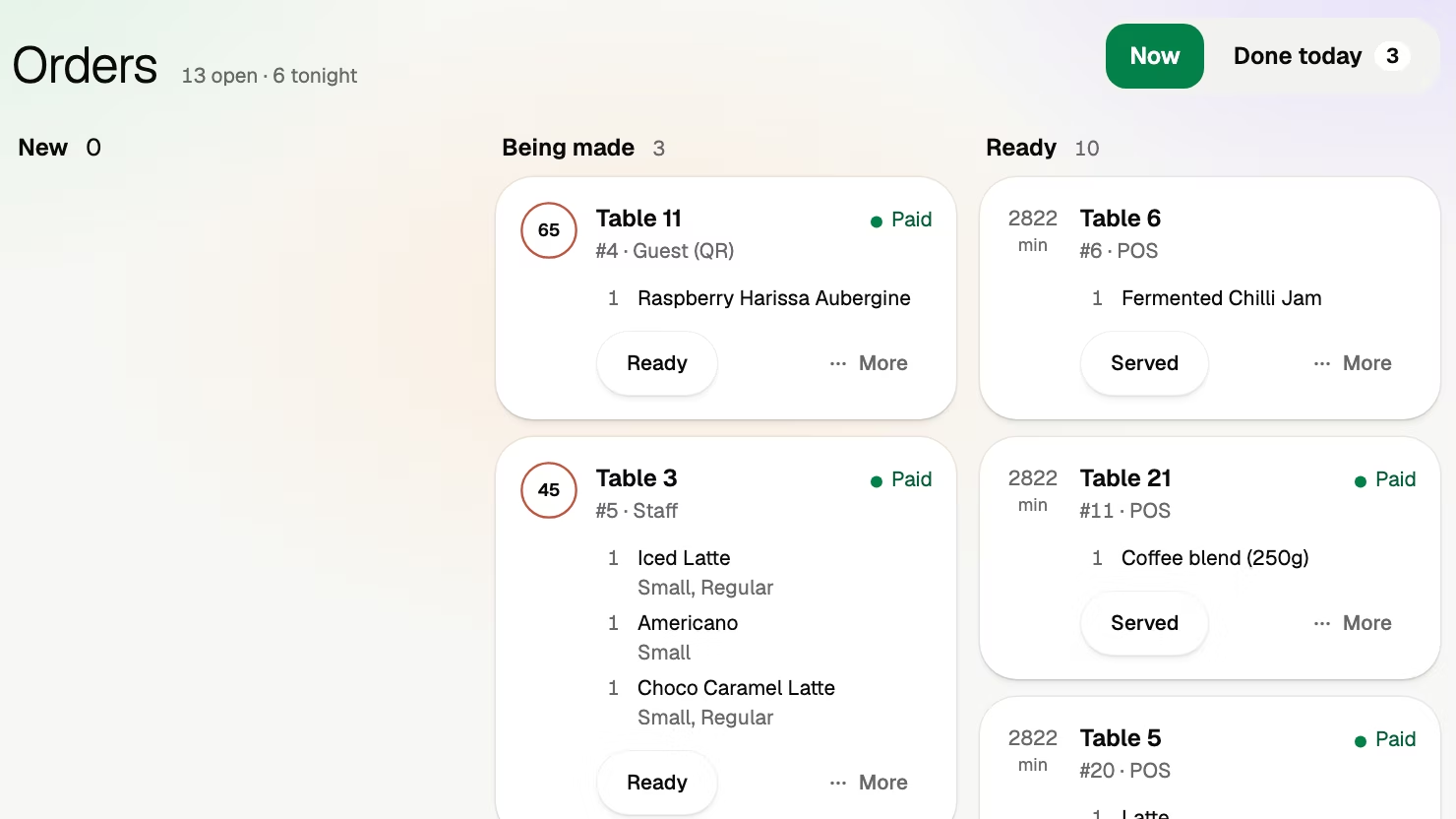
The floor follows the same orders on the orders board, where each one is new, being made or ready. A waiter can see that table 11 is ready without putting a head through the kitchen door.
The screen: a tablet, a TV or paper
Volio sells no hardware, so the screen is yours. One station can run on a tablet. A TV with an Android or Google TV box is easier to read from across the pass, but most TVs are not touchscreens, so decide how the cook will mark a ticket done before you mount one.
A kitchen is hard on a consumer device. Kitchen display system cost has four checks to make before a tablet goes on the kitchen wall: heat and grease, height, sound and power. How to display a menu on a TV covers what it takes for a TV to come back to a browser page after a power cut. It is written for menu boards, and the same applies to a kitchen screen.
If your line prefers paper, cloud ticket printers are an option. Some kitchens want a ticket that travels to the pass with the plate.
Running on your own devices has limits beyond the kitchen. POS system without hardware lists them, starting with what to ask about a dropped internet connection.
What it costs
The screen is a one-off cost. The software is monthly, and the question that decides the bill is what the second screen costs. The cost guide above sets out what vendors publish per device and adds up the month for a kitchen and a bar.
In Volio the kitchen display is in every plan, and every plan has unlimited screens. A second or a third screen changes nothing on the bill: see the plans and prices. The kitchen screen is one line of a bigger sum, and restaurant POS system cost puts it next to the software, the hardware and the card fees.
What Volio does, and where it is the wrong choice
Volio’s kitchen display shows tickets by table with a timer, Done, Recall and a running count per item, on screens you own. The team side of the home page shows it with the floor and the POS.
If you want a kitchen-grade screen supplied and installed, buy from a vendor that sells one, because Volio sells no hardware.