Volio
Volio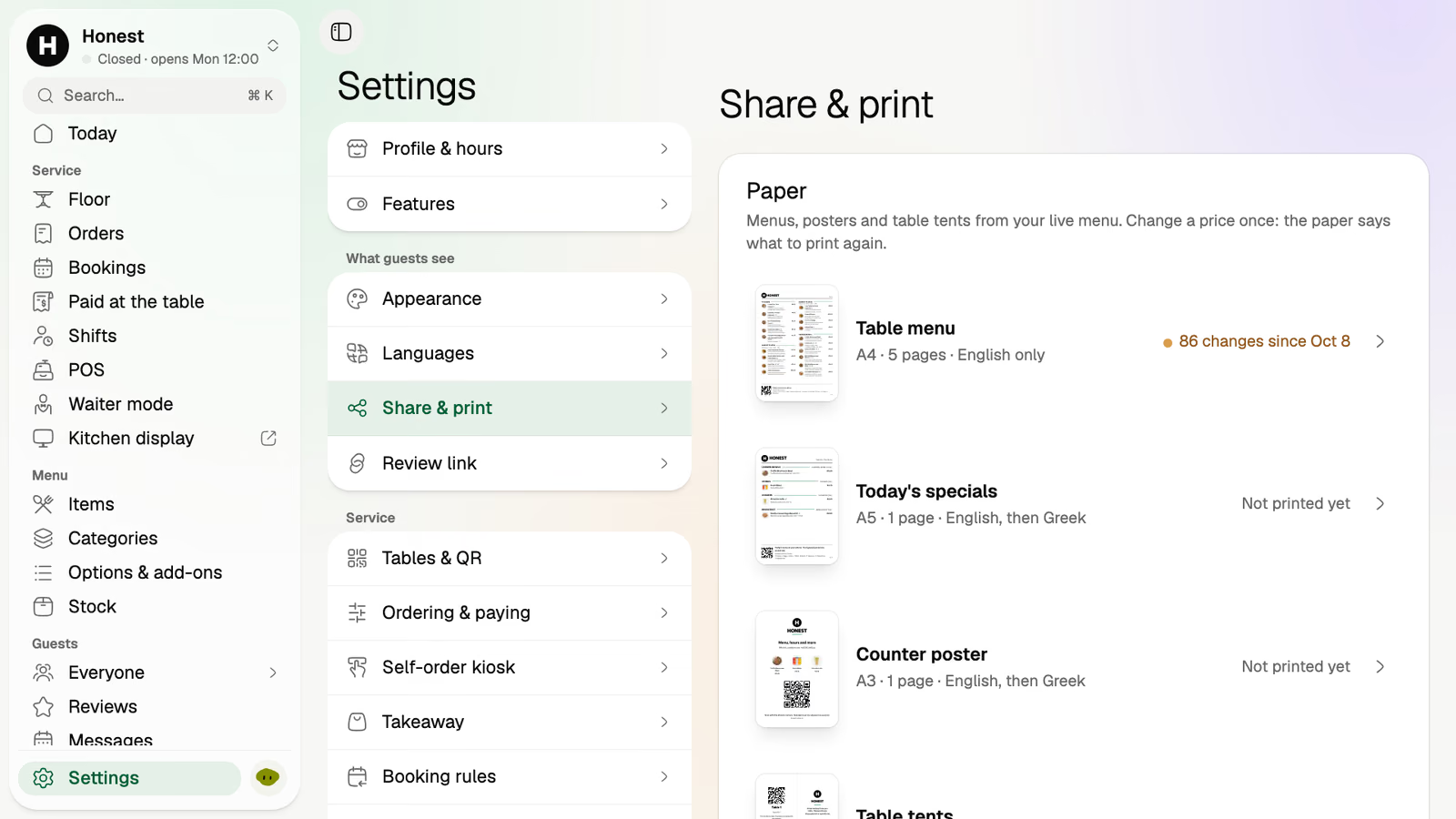
Paper menus from the live menu
Table menus, posters and tents print from the menu, and Volio tells you which printed one is out of date.
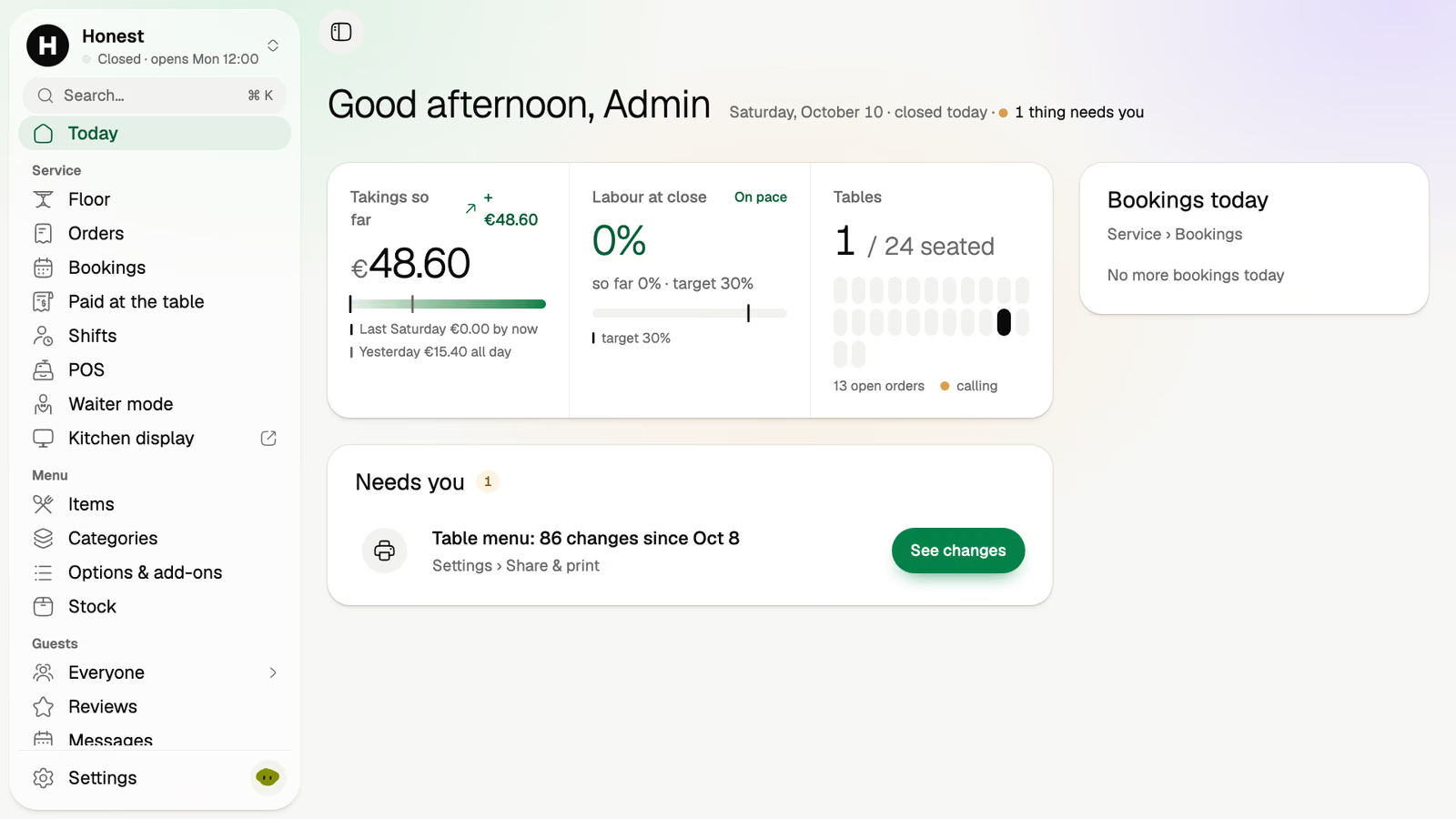
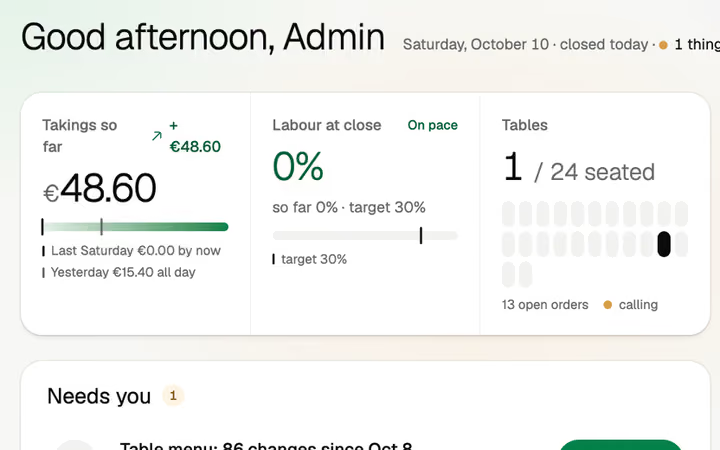
Volio's back office is where the owner of a restaurant, bar, café or beach club keeps the menu and reads the numbers. Change a dish, its options or its hours once, and the phones, the kiosk and the menu boards follow. On Sunday morning, Saturday's takings are there by the hour.
The menu
One menu feeds the guest's phone, the kiosk, the POS and the menu boards. You change it in one place.
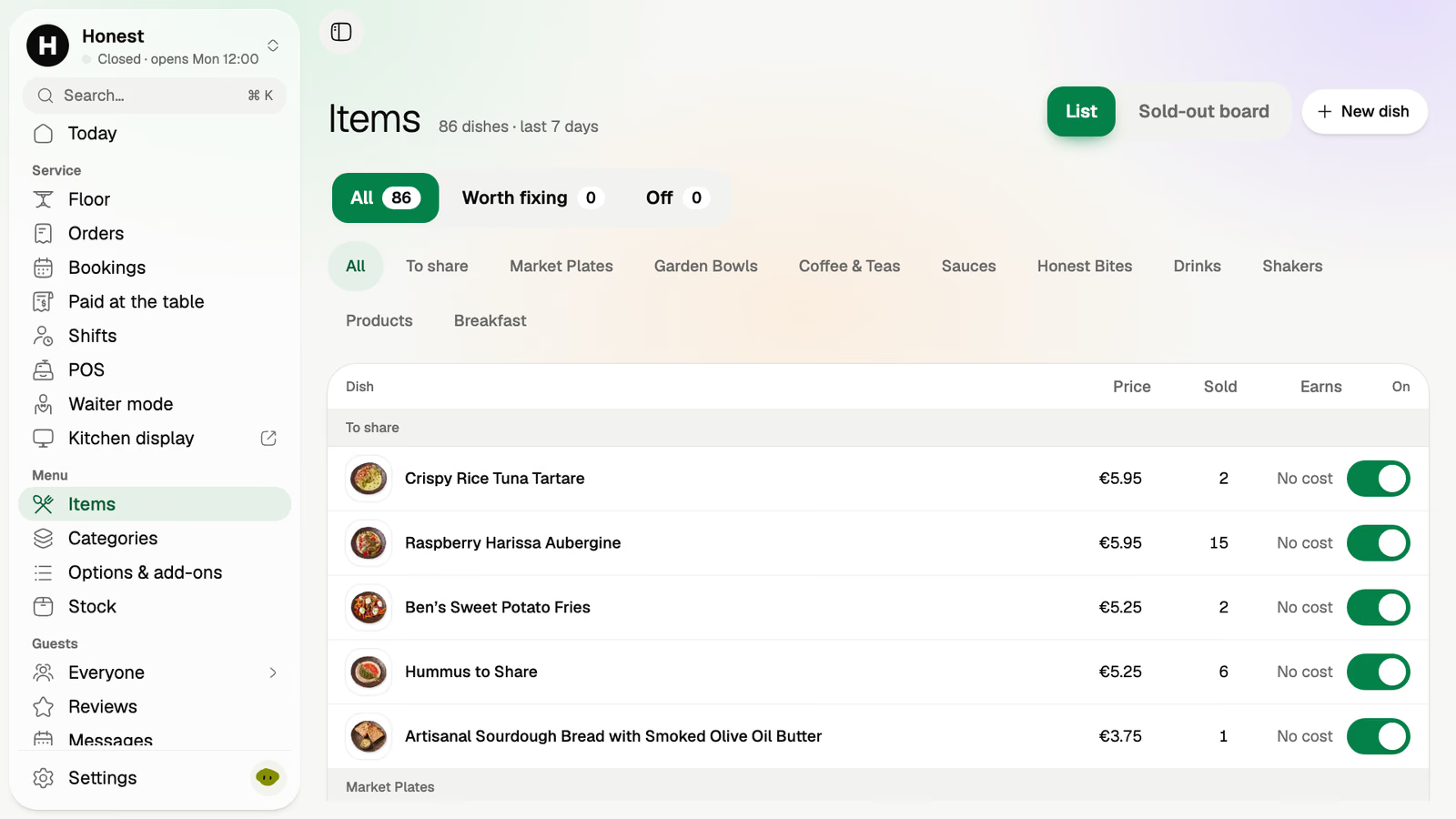
Every dish with its price, how many sold and a switch. Off, and it's gone from every phone and screen at once.
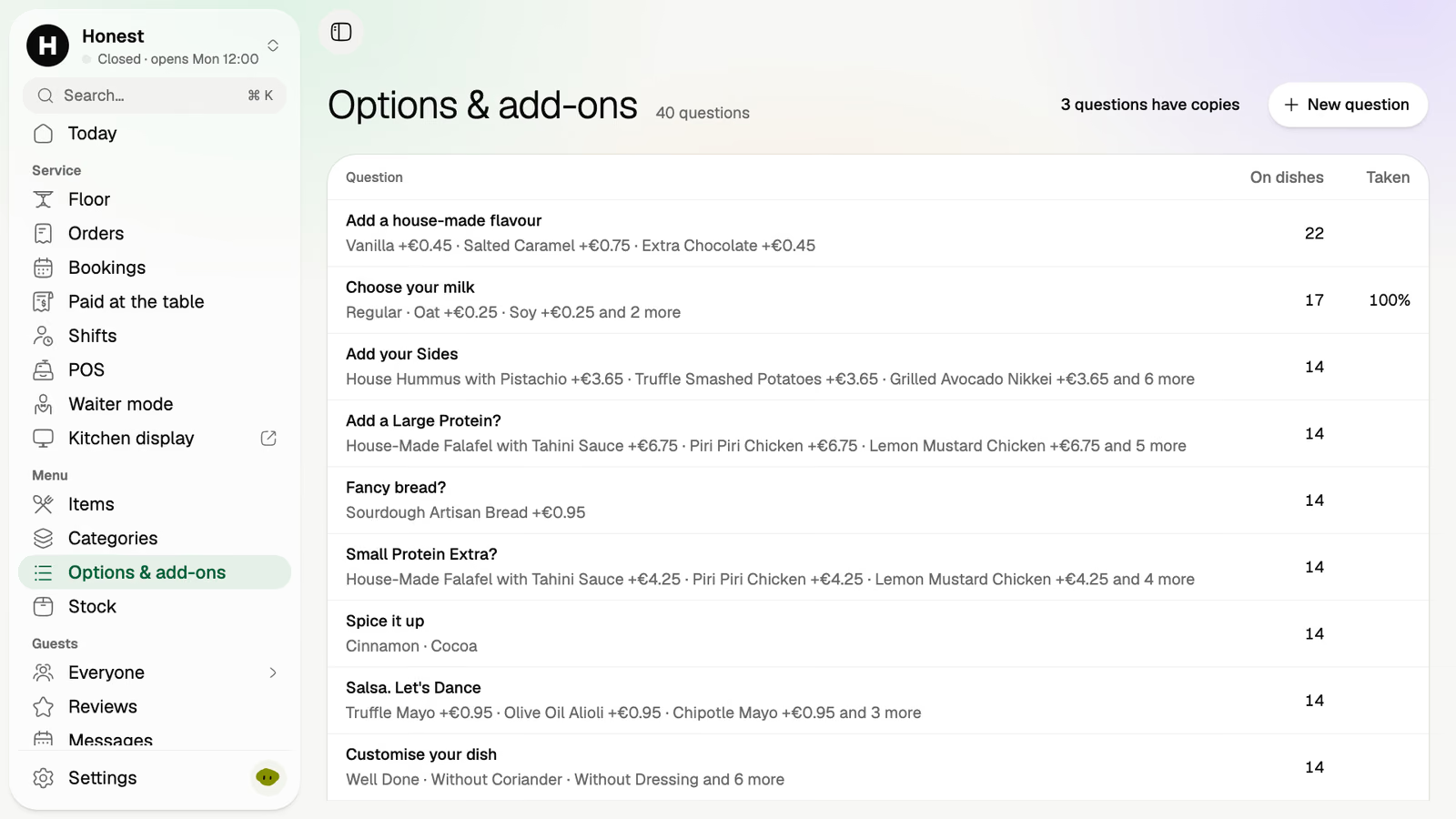
The questions a dish asks: which milk, which side, a larger protein. Each with its price, and asked on every dish that needs it.
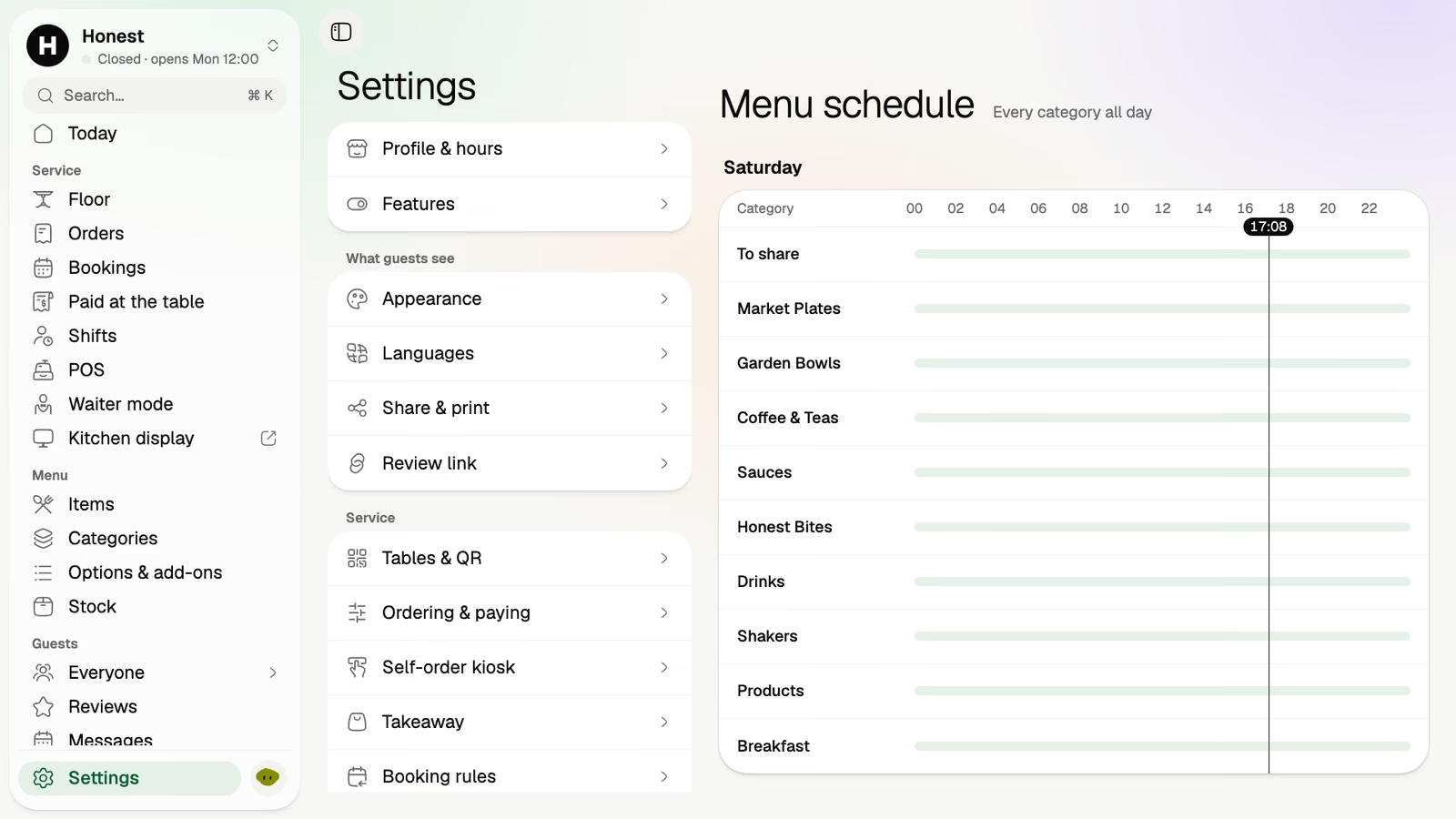
Breakfast until noon, then lunch. Each category is served at the hours you give it, and the menu changes by itself.
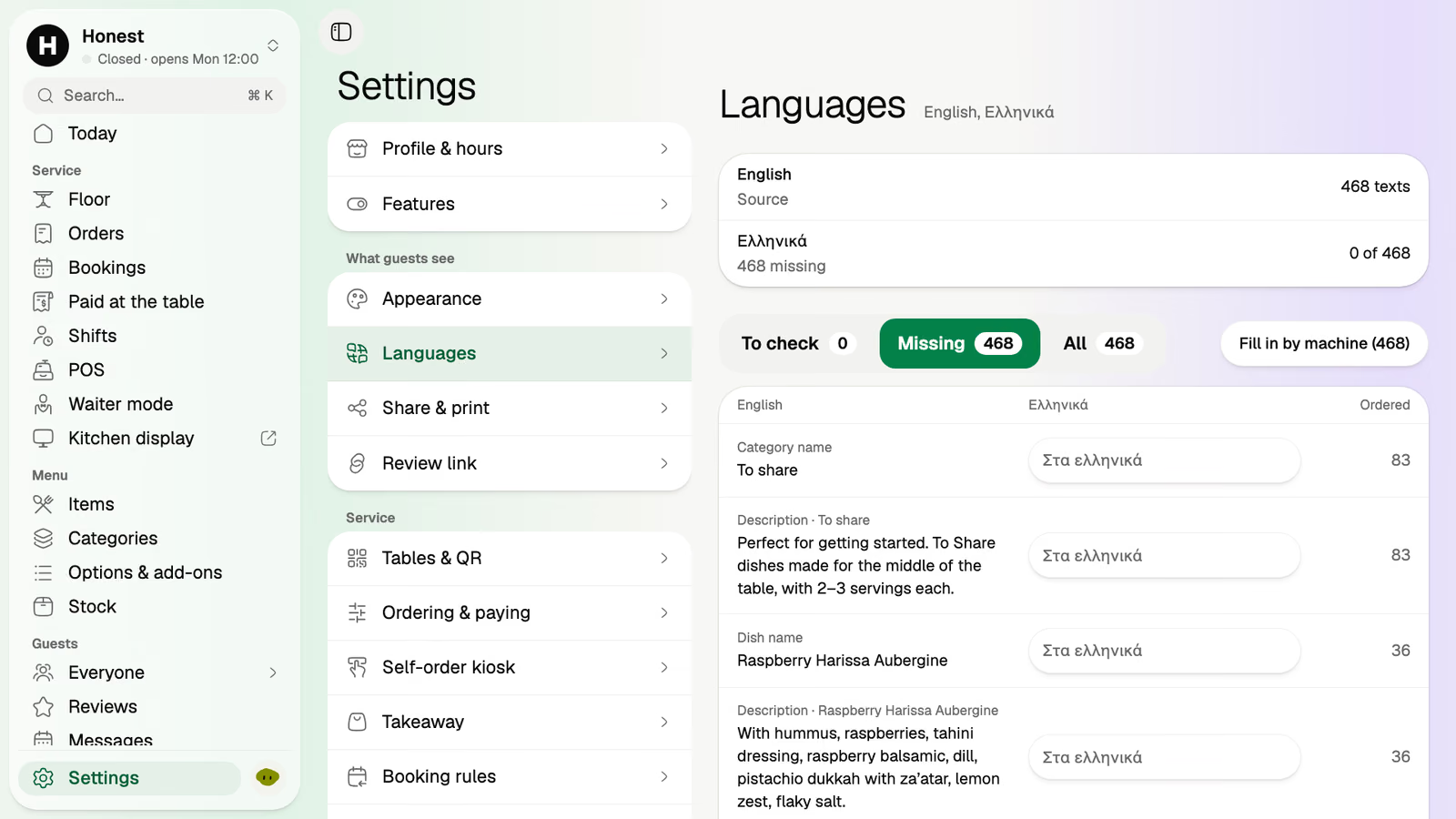
Translated by machine, and every line is yours to edit. The list shows what's missing and what's checked.
The numbers
What sold, when, and what it earned. Read on the sofa, on a phone, or exported.
A week, a month or a quarter, by day or by hour, with an export to Excel or CSV.
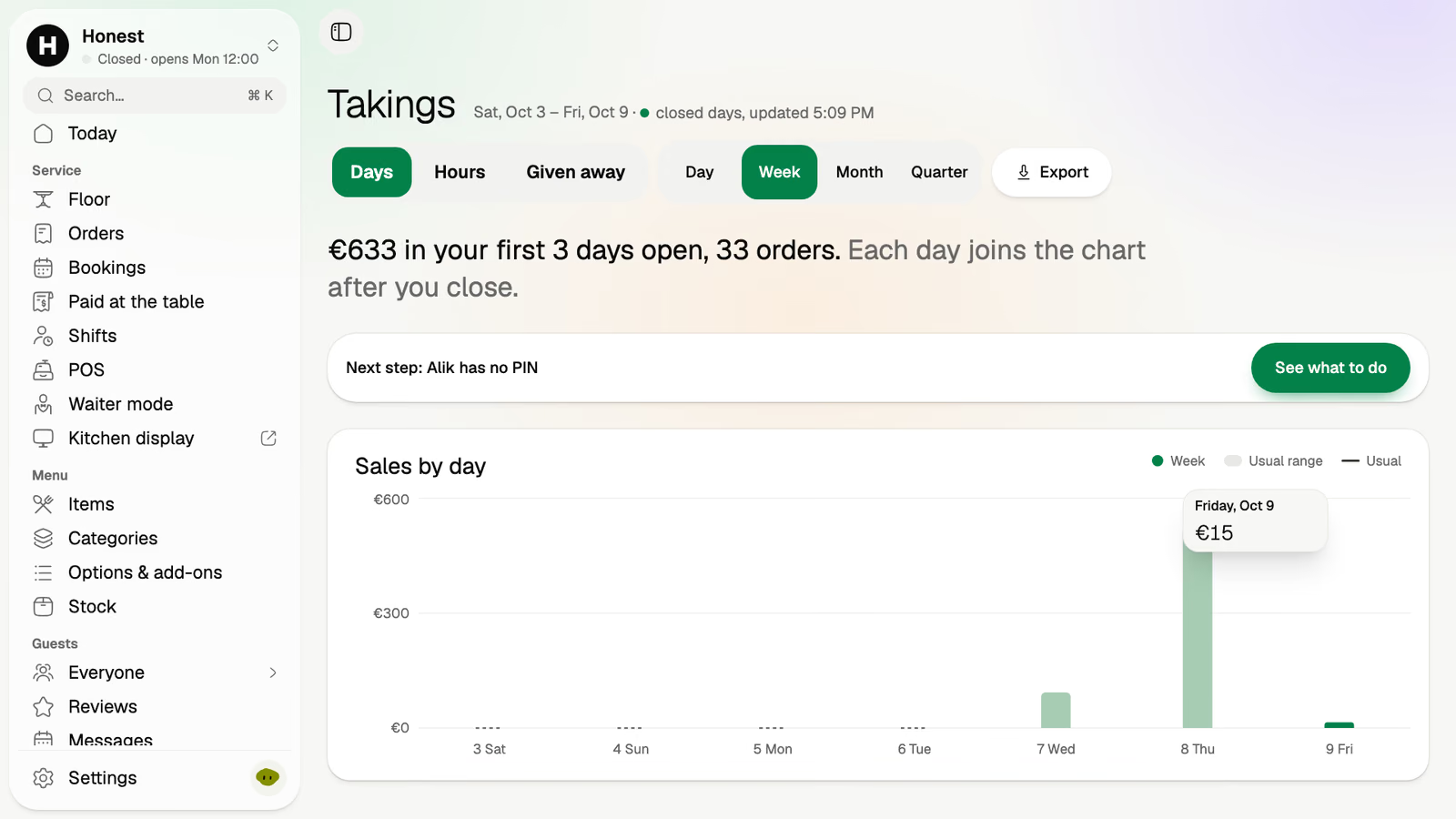
The dishes that bring in the most, each with its share of sales and how often it sold.
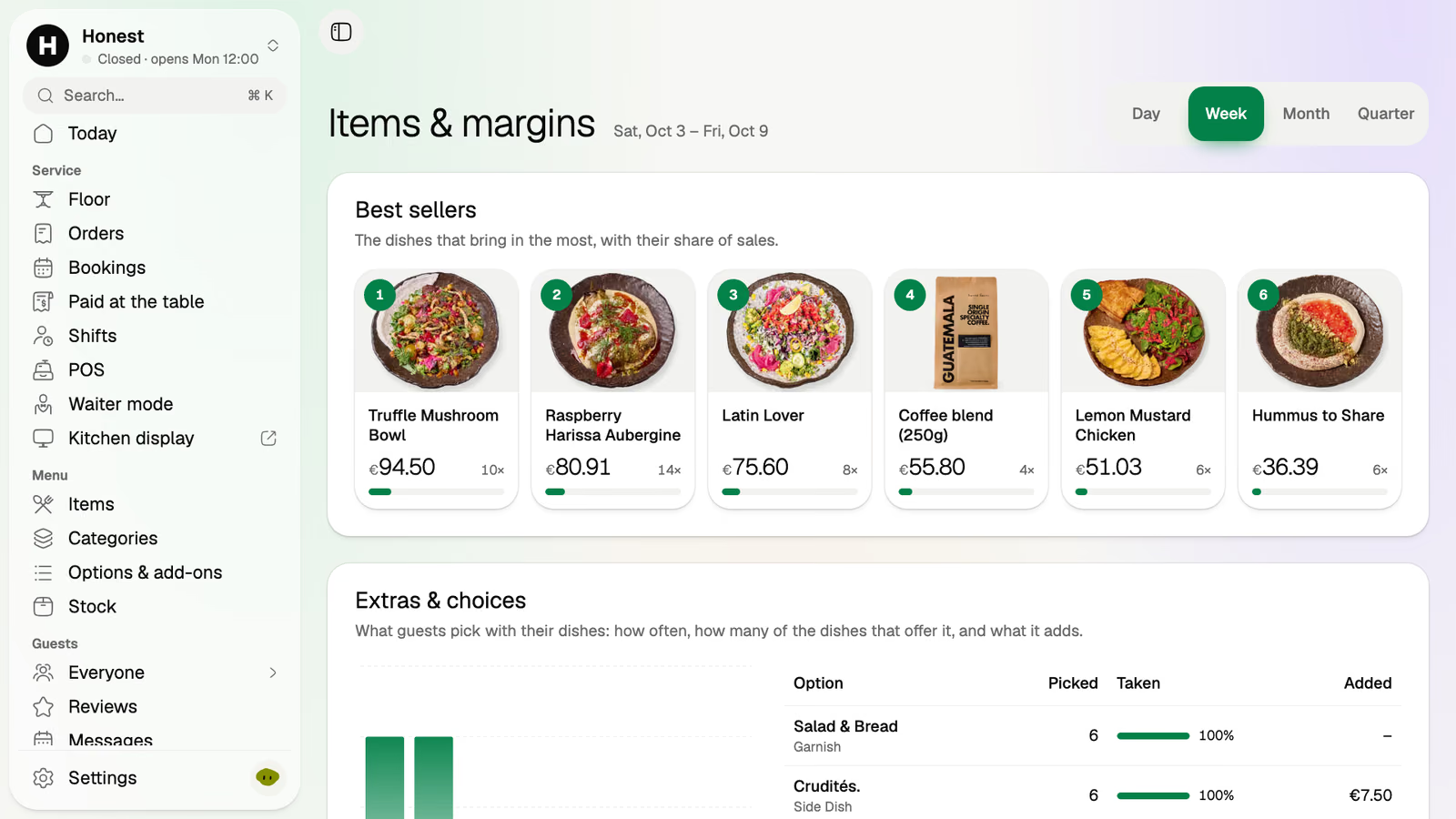
Before, Saturday was a till roll and a feeling. Now it's four screens before the second coffee.
Takings by hour show the rush started earlier than the rota did.
Items and margins put the bowl that's always gone by eight at the top.
The dish nobody ordered goes off, and two prices move. Phones, the kiosk and the boards follow.
Volio says which printed table menus are now out of date, and you print them again.
Table menus, posters and tents print from the menu, and Volio tells you which printed one is out of date.
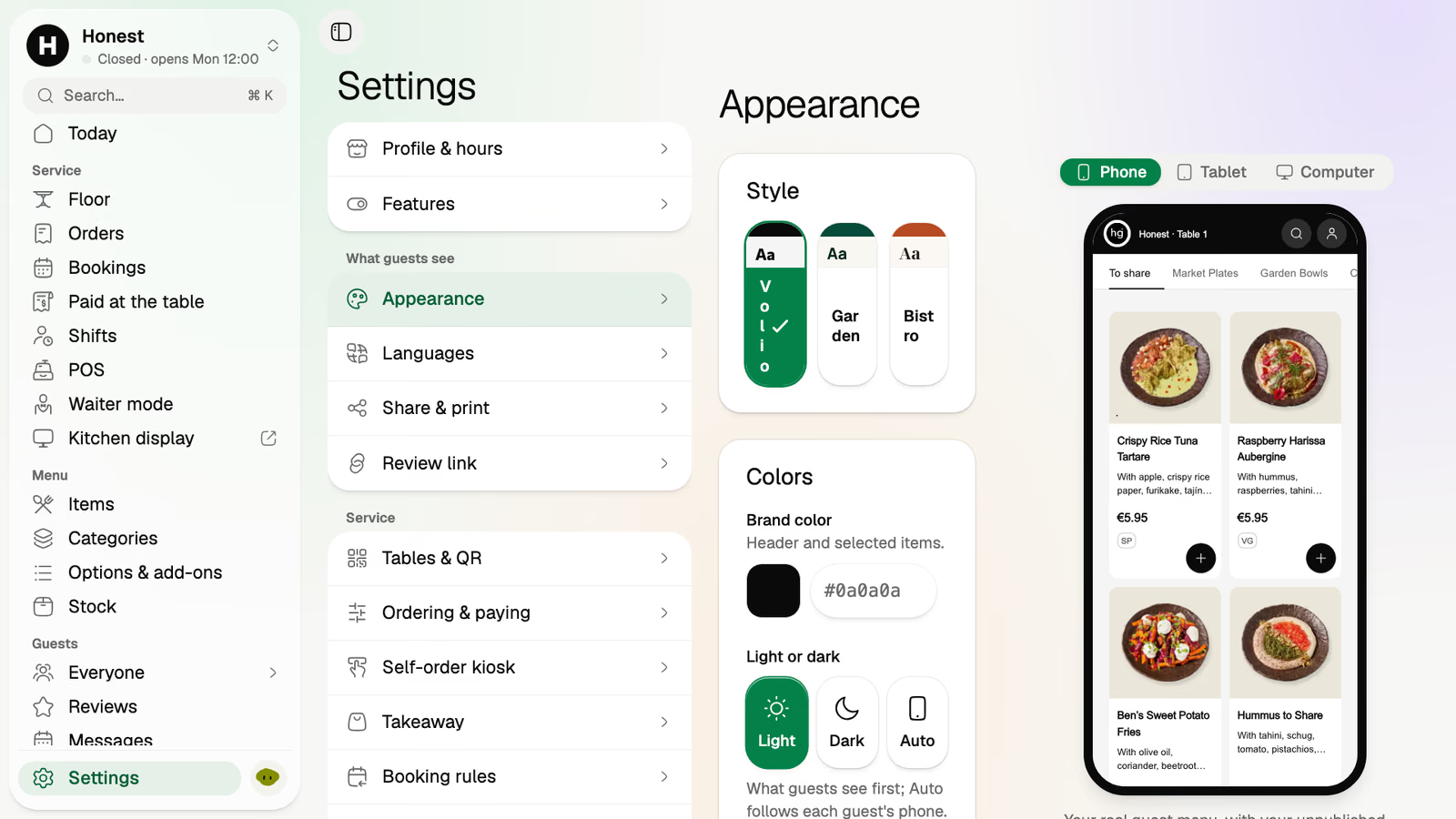
A style and your brand colour, with a live preview of the real menu beside them.
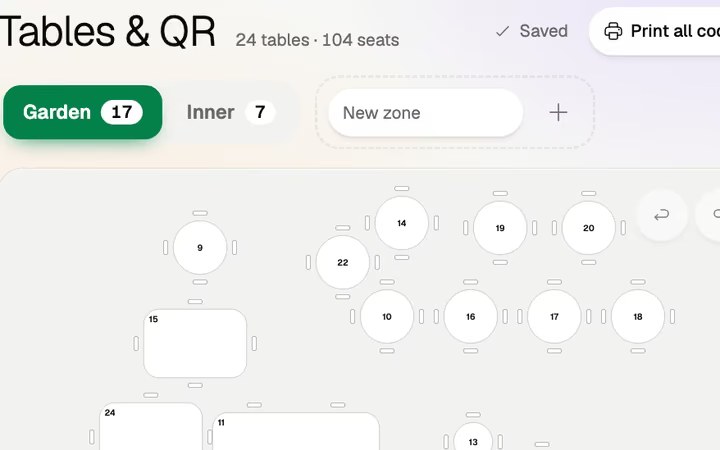
Draw the room once, and print one code per place.
The rota against the sales forecast, on the Pro plan.
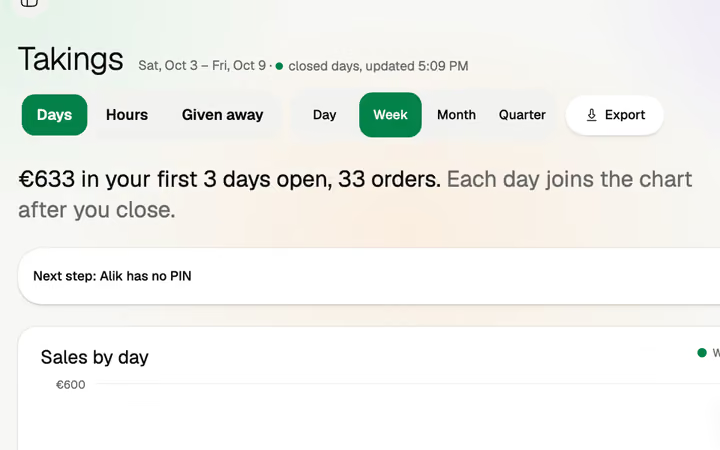
Takings to Excel or CSV.
Stock and recipes come with the Pro plan. The menu and the takings are on every paid plan.
It opens in a browser on the phone, tablet or computer you already own.
Monthlya monthRegular price from Jan 1, 2027: €49€39
Yearly 2 months freeRegular price from Jan 1, 2027: €40.83€32.50 a monthRegular price from Jan 1, 2027: €490€390
Monthlya monthRegular price from Jan 1, 2027: €109€89
Yearly 2 months freeRegular price from Jan 1, 2027: €90.83€74.17 a monthRegular price from Jan 1, 2027: €1,090€890
Everything in Basic, and:
Monthlya monthRegular price from Jan 1, 2027: €259€209
Yearly 2 months freeRegular price from Jan 1, 2027: €215.83€174.17 a monthRegular price from Jan 1, 2027: €2,590€2,090
Everything in Essential, and:
Founding price for the first 500 venues, locked for 24 months. New venues pay the struck price from Jan 1, 2027.
Cancel any time: your QR menu stays online, free. Ordering, payments and the rest stop until you pick a plan again.
Unlimited tables, staff and screens on every plan. Pay yearly and 2 months are free; closed for part of the year? Monthly stops any month you like.
Something else? hello@usevolio.com
On the guest's phone, the kiosk, the POS and the menu boards. Printed menus don't change by themselves: Volio tells you which ones are out of date so you can print them again.
Yes. Each category has its own hours, breakfast until noon for example, and the menu follows them.
Takings by day and by hour, items and margins with your best sellers, and an export to Excel or CSV.
Yes. The back office opens in a browser on any phone, tablet or computer.
The menu and sales reports are on every paid plan. Paper menus come with Essential, and advanced analytics and exports with Pro. See the plans and prices on this page.
Saturday's numbers on Sunday, and a menu you change once