Volio
VolioHow to display a menu on a TV: four ways
Four ways to put a menu on a TV: a USB stick, a slideshow, a signage app, or a browser page that follows your prices. Cost and upkeep of each.
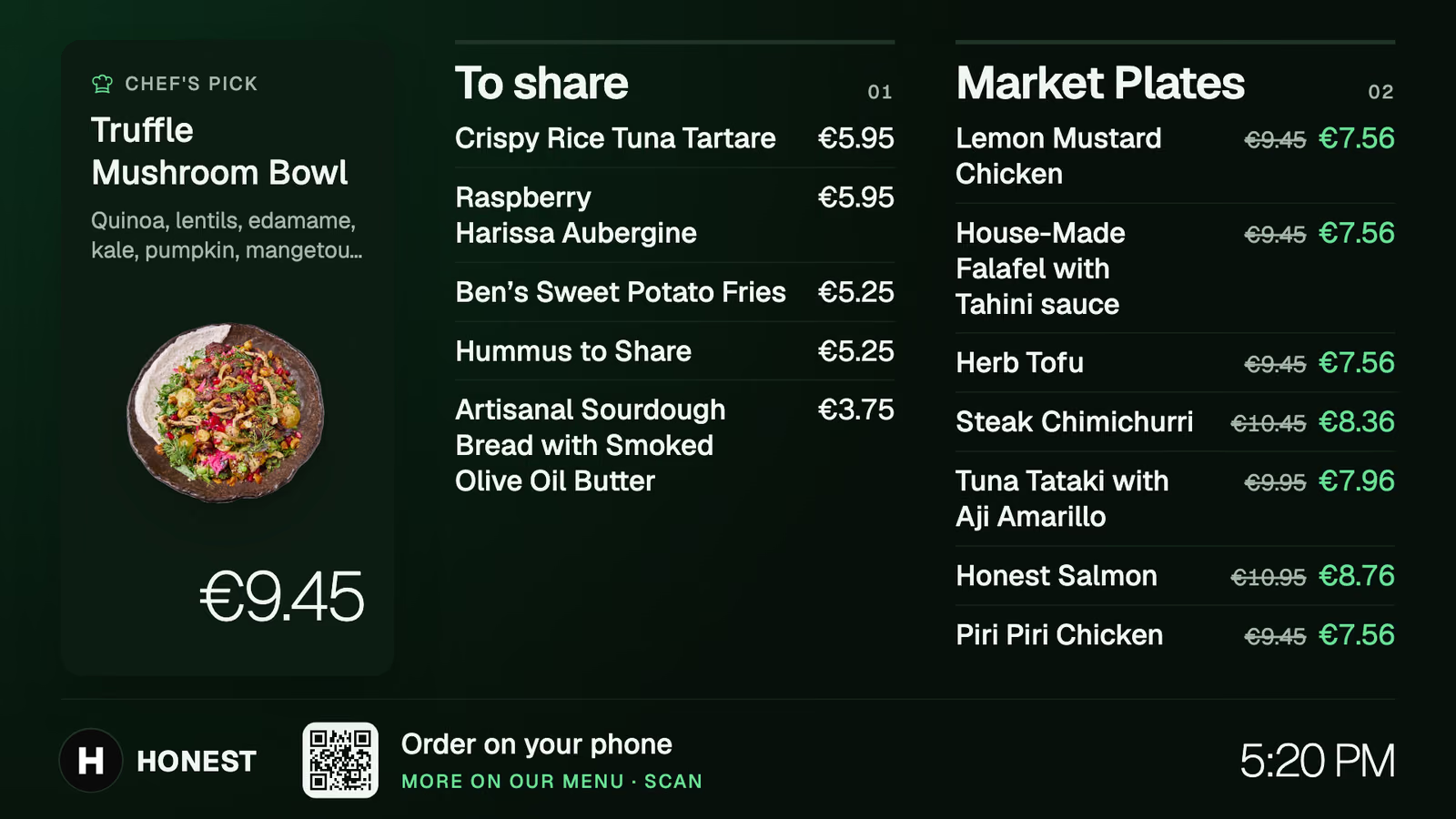
The free way is a picture of your menu on a USB stick, plugged into the TV. It stays right until the first price change. After that you redo the picture each time, pay for a signage app, or open a browser page on the TV that reads the same menu your till and your QR menu sell from.
| Way | Monthly cost | What the TV needs | When a price changes |
|---|---|---|---|
| USB stick | None | A USB port | New picture, new copy, a walk to the TV |
| Slideshow in a browser | None | A browser, or a stick that has one | Edit the slide; the TV follows in minutes |
| Signage app | Yodeck: free for one screen, then from $8 a screen a month | A player or a supported device | Edit it in the app |
| Board page from your ordering system | Part of that plan | A browser, or a stick that has one | Change it once, in the menu |
A USB stick: free and frozen
- Export the menu from Canva, or wherever you made it, as a JPG or PNG in landscape. Use 1920 × 1080 pixels for a Full HD TV and 3840 × 2160 for a 4K one.
- Copy it to a USB stick formatted as FAT32. Samsung, for one, says its QLED and SUHD TVs “support FAT, exFAT, and NTFS file systems” and its Full HD TVs support FAT16, FAT32 and read-only NTFS. FAT32 is on both lists.
- Plug the stick into the TV. On a Samsung, press Source on the remote and select USB Device. On another make the button may be labelled Input.
- If the TV has a sleep timer or an auto power-off setting, switch it off.
If the menu needs two or three pictures, look for a slideshow option in the TV’s photo player. It differs by model, so check the manual.
A TV with no USB port and no smart features needs a box in its HDMI port. Yodeck’s guide says “you will need a media player such as Amazon Fire Stick” or its own player.
Every change means a new export and a walk to the TV with the stick. The board goes out of date on the day the supplier’s prices move and nobody has ten minutes.
A slideshow in the TV’s browser
Put the menu on one slide in Google Slides. Then File, Share, Publish to web gives you a link. With several slides, the same dialog lets you choose how quickly they advance. Open the link in the TV’s browser.
The gain over the stick is that you edit from your phone. Google says changes to the original “will be updated in the published version” and that this “might take a few minutes”.
Which TVs have a browser:
- Some smart TVs have one in their app list. Check yours before you plan around it.
- A Fire TV stick has the Silk browser. Amazon’s help page says: “select Apps from the Fire TV home screen and open the Internet app”.
- A Roku has none. Roku’s support page says the device “does not provide the ability to browse the internet on your television”. Use the USB route, or plug in a different stick.
You still type every price by hand. The same flat white now lives in three places, the board, the till and the menu on the guest’s phone, and it gets changed three times. When the board is the one that gets forgotten, a guest orders at the old price and the argument happens at the counter. A PDF menu behind a QR code has the same weakness.
A signage app
Signage software is built for screens: layouts, schedules, video, several TVs managed from one login. Yodeck is the example here because it publishes its prices. As of October 2026 it is free for one screen, and its pricing page lists the paid plans at $8, $12 and $16 per screen a month. Its FAQ says: “If you plan on using more than 1 screen, you will need to get a paid Yodeck subscription for all of your screens.” Annual plans come with a Yodeck player for the TV.
This is the right tool when the screen should do more than list dishes: a promotion on a loop, a video of the grill. The question to ask any signage vendor is where the prices come from. If you type them into the app, you have a better-looking board with the same three-places problem. If the app reads them from your till, ask which tills and what that costs.
A browser page that follows the menu
The fourth way is a board that is a web page from the system you already sell through, the one behind your till or your QR ordering. The TV opens the page, the page reads the live menu, and a price changed in the back office changes on the wall. If the kitchen needs a screen too, that is a separate purchase: see the kitchen display cost guide.
The work is making a TV behave like a sign:
- A smart TV’s browser is the cheapest route. Not every set reopens the page after a power cut, so test yours.
- A Fire TV stick with Silk hides behind the set. Amazon’s steps for opening the browser start from the home screen, so plan on someone reopening the page after a restart.
- A small computer or an old laptop on the HDMI port gives you the most control. Set the browser to open the board at start-up, go full screen (F11 in most Windows browsers), and set the computer never to sleep.
Then run one test before you trust it. Pull the plug, put it back, and see what the TV shows without anyone touching a remote. If the answer is not your menu, add “open the board” to the opening checklist.
Screen size, height and glare
Size. Pickcel, a signage vendor, suggests 42 to 50 inches for coffee shops and mid-sized restaurants and 60 inches or more for a large room. A better test costs nothing: stand where the queue starts and read the smallest price. If you can’t, cut items or add a second screen. Don’t shrink the type.
Height. Above the counter, with the bottom edge higher than the tallest person behind it, tilted slightly down.
Glare. Not opposite a window. Look at it at the sunniest hour before you drill, and turn the brightness up for daytime.
Burn-in. A menu is a still picture shown all day. Samsung says burn-in “may be caused by leaving a fixed image on the screen for a long period of time and can be particularly noticeable on OLED TVs”. The same Samsung page says its QLED TVs “have been certified burn-in free”. Ask the same question of any set you buy for a board.
What Volio does
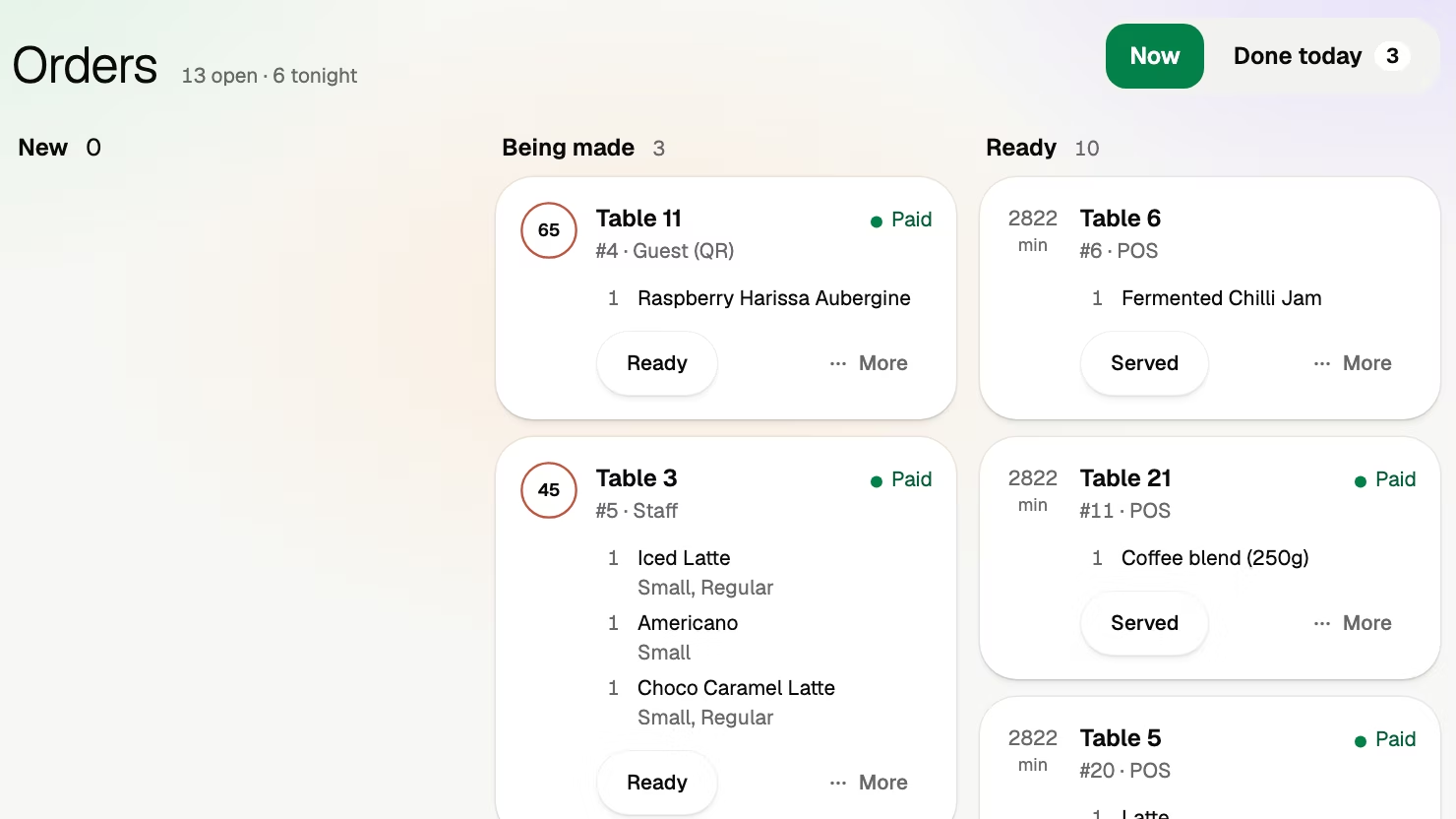
Volio has menu boards for any TV with an Android or Google TV box plugged in. Prices and happy hours follow the menu, so a change in the back office needs no second edit on the wall. Menu boards come with the Pro plan, with as many screens as you like (see the plans and prices). The board is part of the team side, and the menu behind it is kept in the back office.
The board shows the menu, and that is all it does. It is not a signage tool for videos and promotions, and if you need those, a signage app is the better buy. It needs an Android or Google TV box on the TV, or an old iPad, not the TV’s own browser or a Fire TV stick. Volio launched in October 2026.
Sources
Checked on 12 October 2026.
- Yodeck, pricing: yodeck.com/pricing
- Yodeck, menu on a TV: yodeck.com/use-cases/display-menu-on-tv
- Pickcel, TV menu boards: pickcel.com/blog/a-guide-to-tv-menu-boards
- Samsung, playing files from USB: samsung.com/hk_en/support
- Samsung, burn-in: samsung.com/uk/support
- Google, publishing Slides to the web: support.google.com/docs/answer/183965
- Amazon, How to Use the Silk Web Browser on Fire TV: amazon.com help
- Roku, no web browser: support.roku.com