Volio
Volio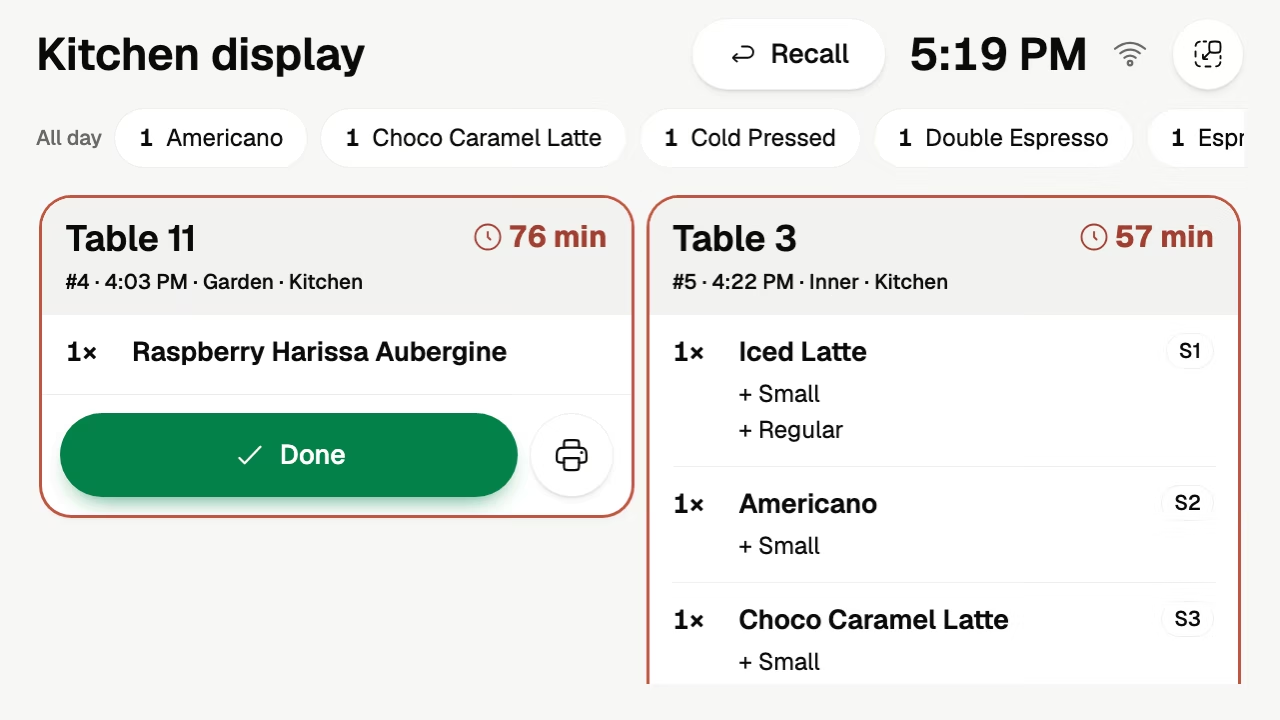
Kitchen display
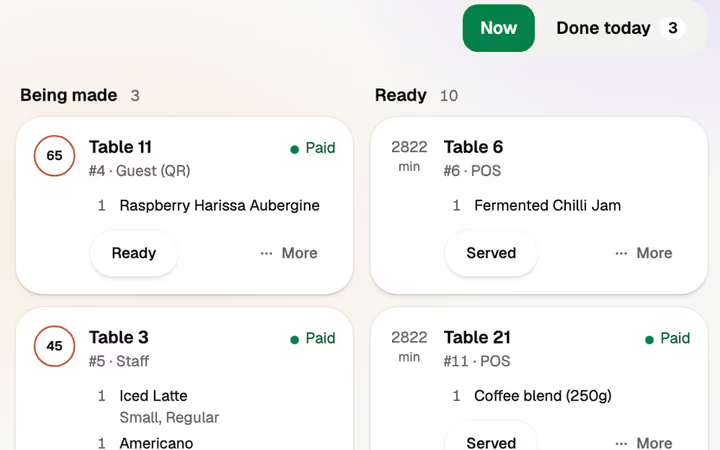
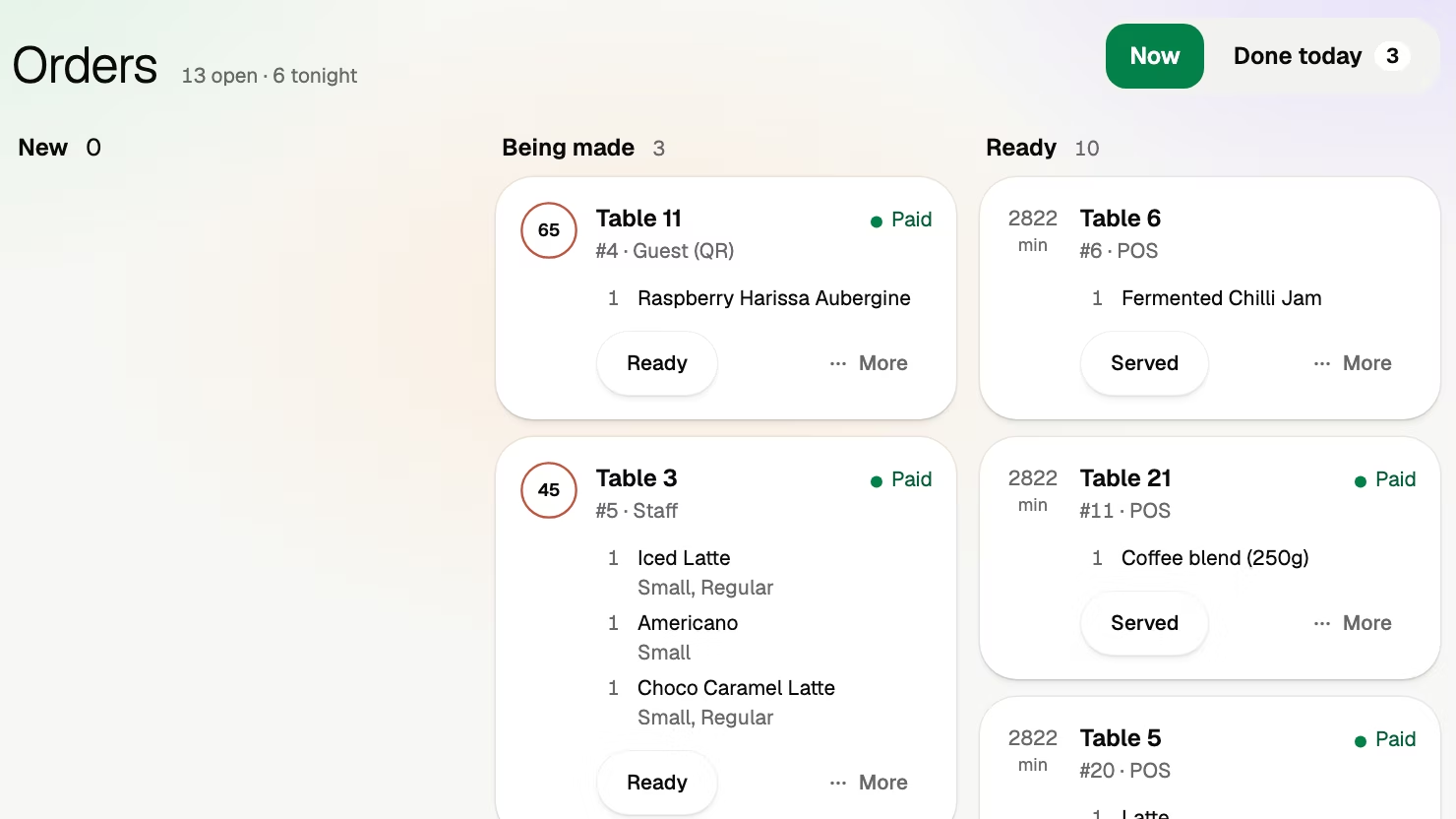
The order arrives as one ticket for its table, with a timer and the guest's choices under each dish.
Volio is QR code ordering for restaurants, bars and clubs, beach clubs, cafés and hotel pool bars. Guests scan the code on their table, stool or sunbed, order from your menu and pay on their own phone, in the browser. Every plan starts with 30 days of Pro, free.
From the code to the kitchen
A QR menu shows the menu. QR ordering takes the order and the payment too. Start with the first, and switch on the second when you're ready.
Step 1
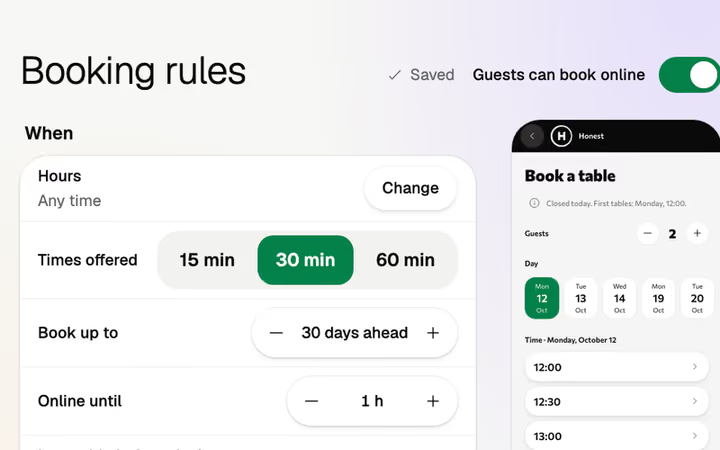
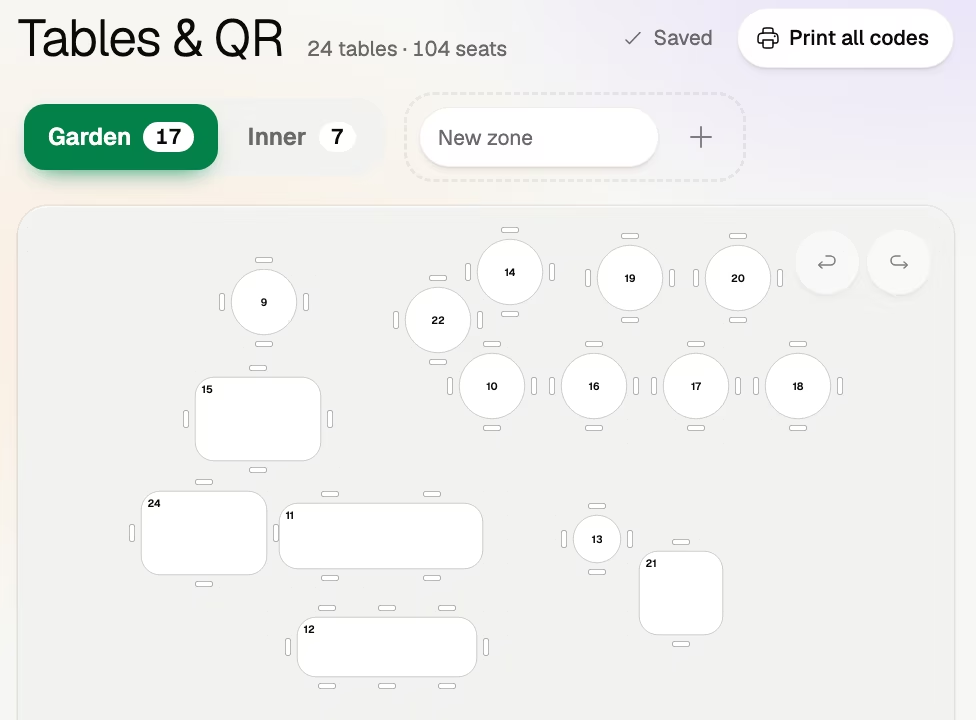
Draw the room once in Tables & QR. A table, a stool at the bar, a sunbed or a lounger is a numbered place with its own code, so every order arrives with its number. Print every code in one go.
Step 2
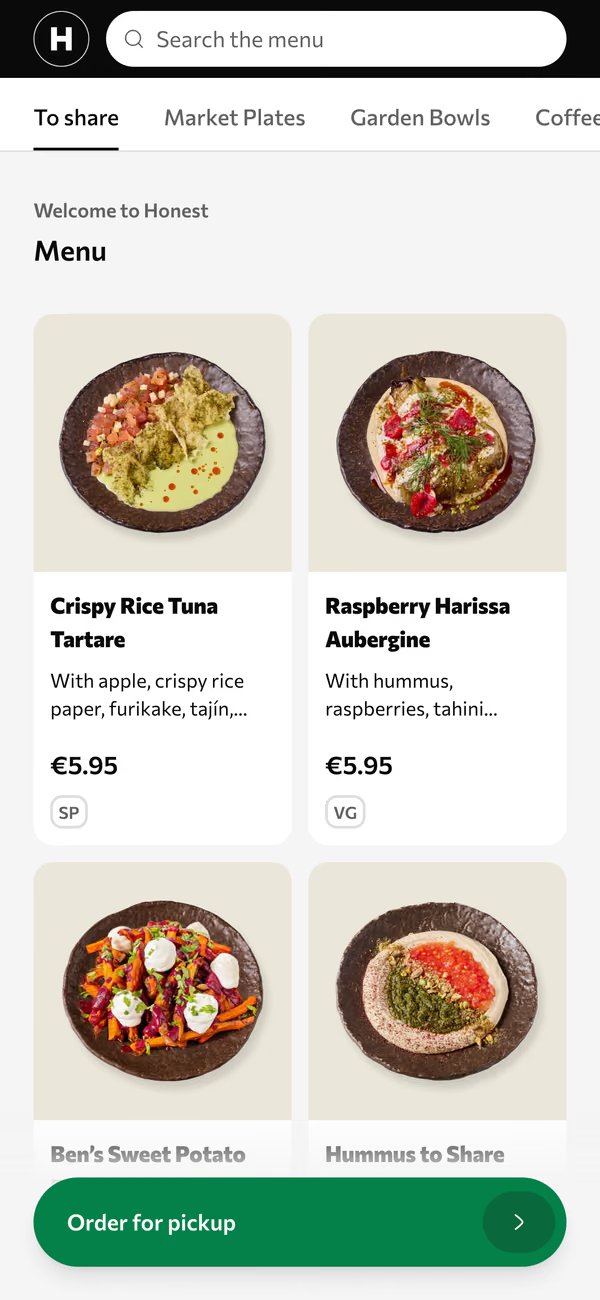
Nobody downloads anything. Photos, allergens, filters and search, in the guest's own language. The translations are done by machine, and every line is yours to edit.
Step 3
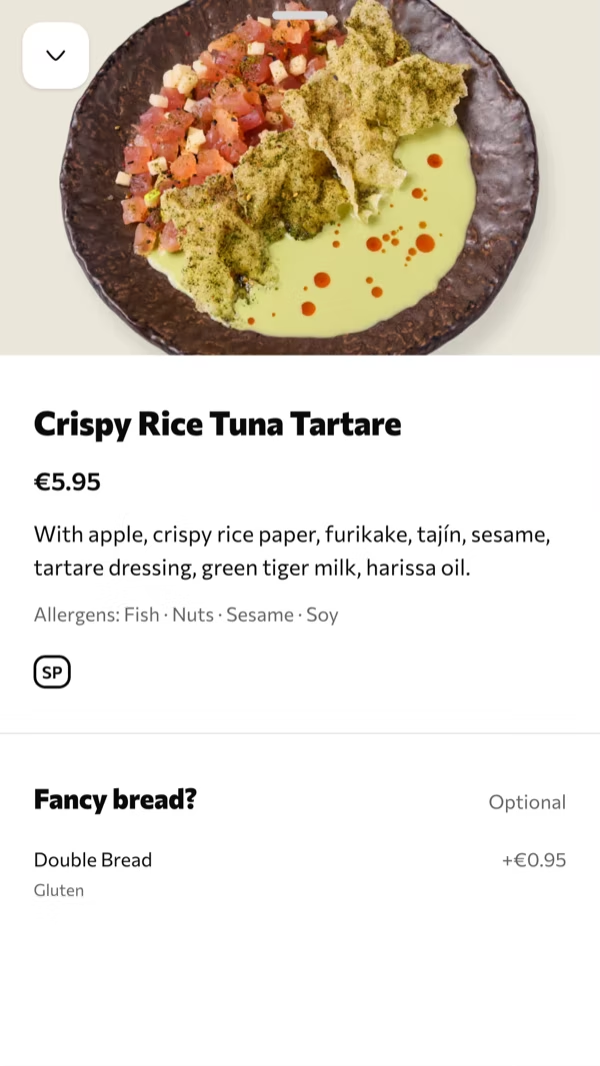
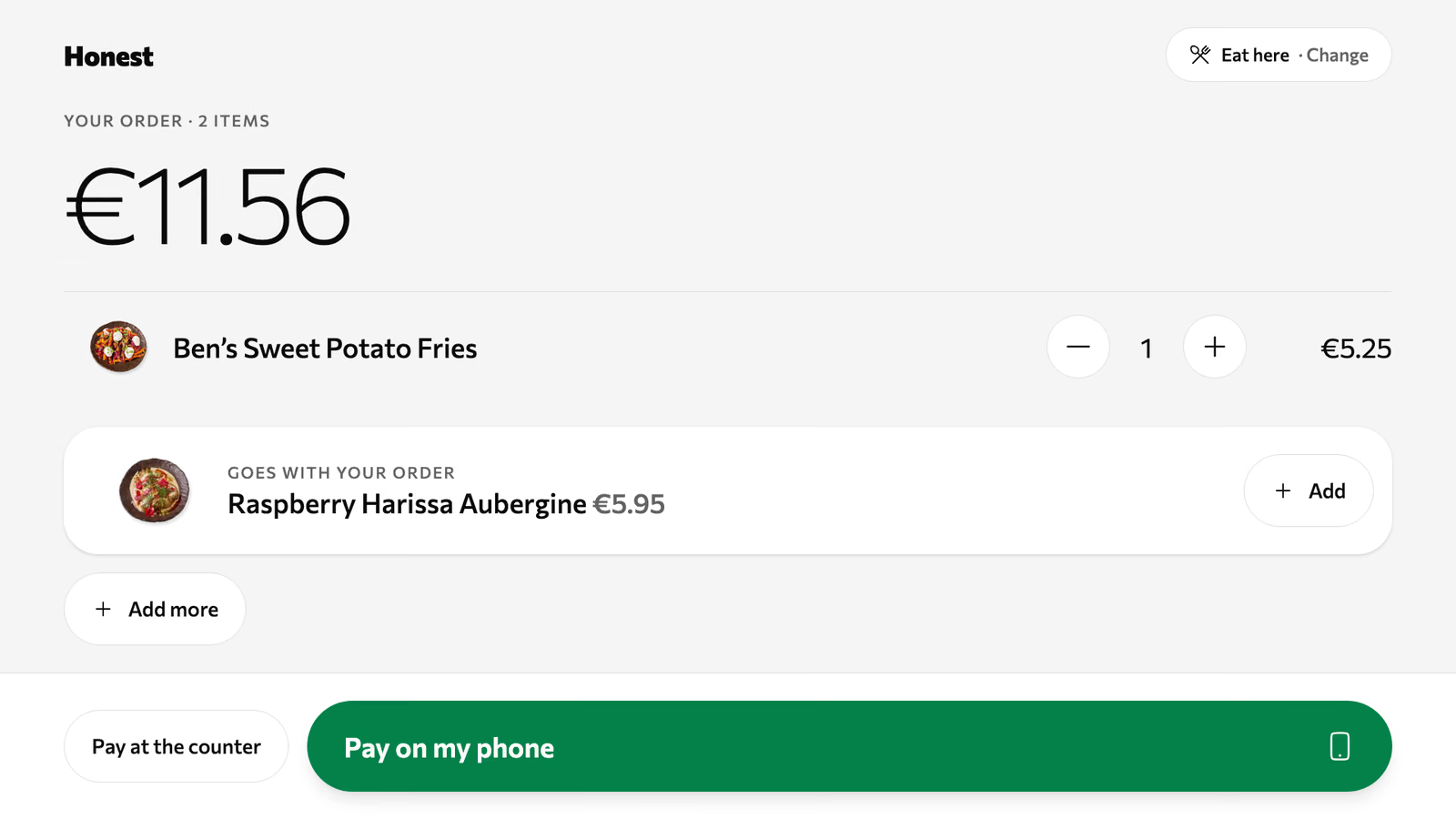
The second round, without the wave. A dish opens with its sides, sizes and extras, picked before the kitchen sees them. Several phones add to one order, and anyone can send the next round when they want it.
Step 4
Each guest pays their own part, on their own phone, with the tip added before paying. Apple Pay, Google Pay or card. Nobody waits for the card machine.
How pay at the table works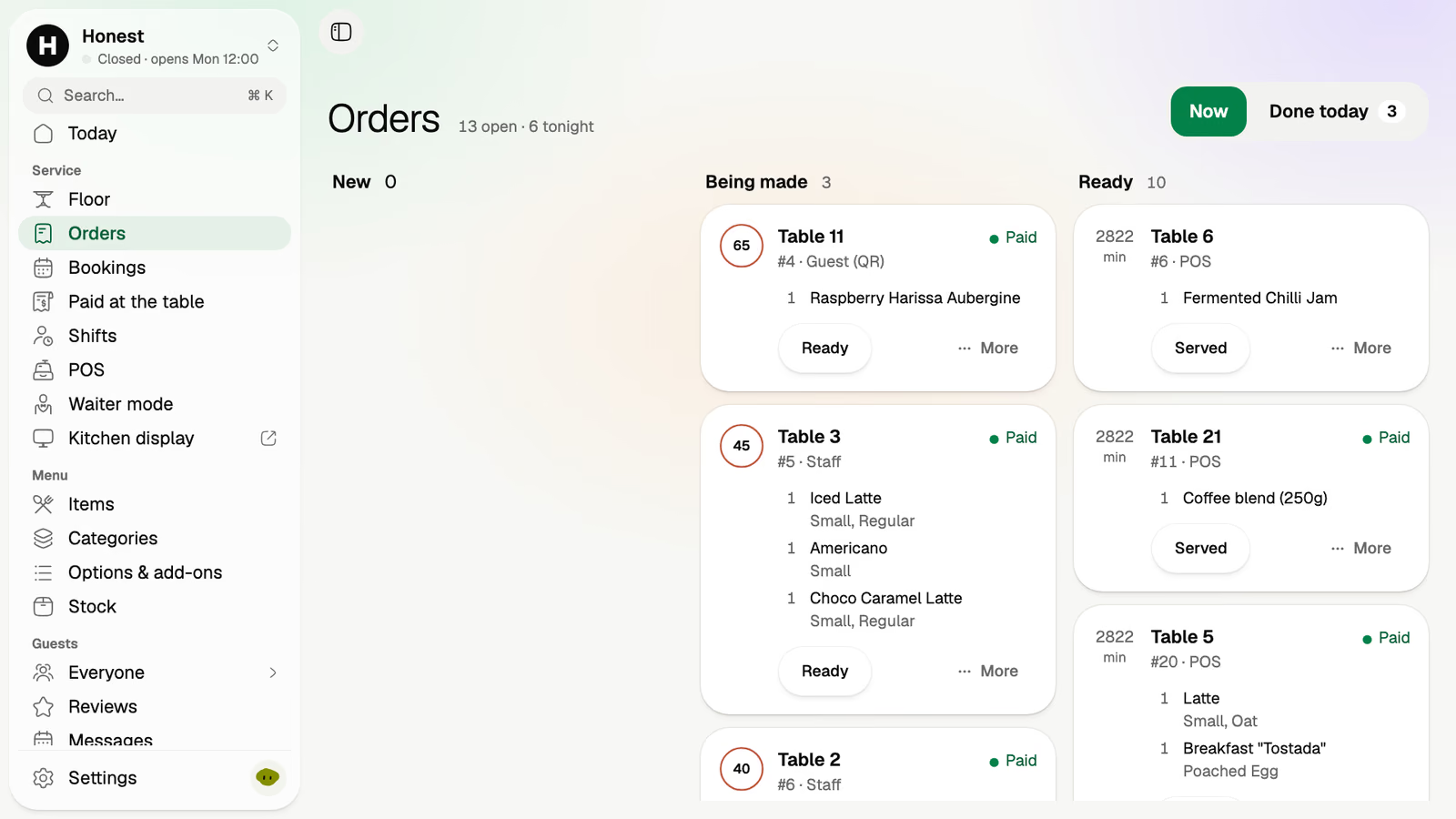
Six friends, and a waiter with nine other tables. This is how the evening runs when the code on the table does the asking.
The menu opens in each phone's browser, and each of them reads it in their own language.
Sides and extras are picked on the phone. The kitchen gets one ticket headed table 4, with the choices under each dish.
Their waiter is at table 9. The next round goes from the code, and nobody at table 4 has to catch an eye.
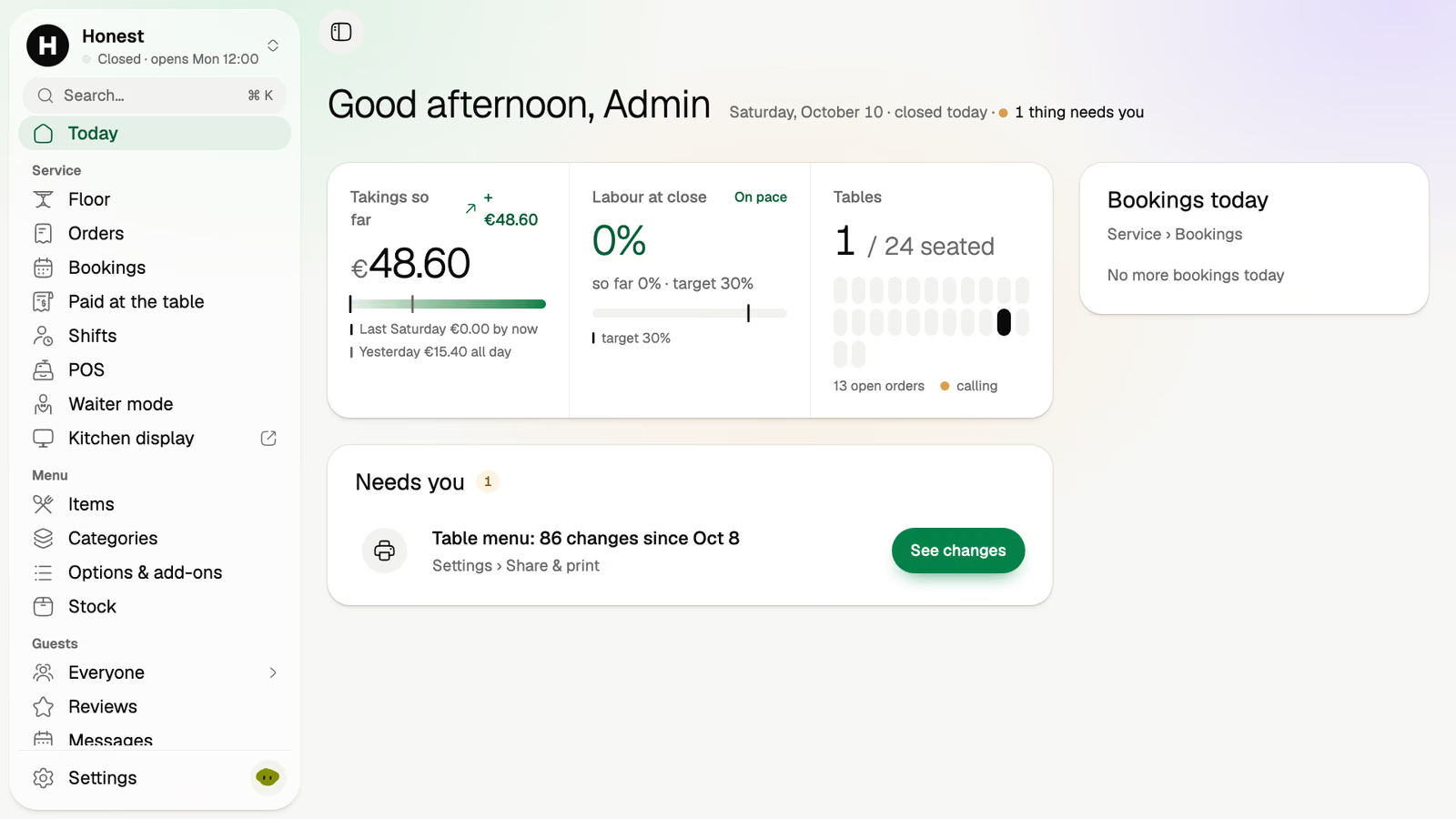
Four guests pay on their phones and one adds a tip before paying. On the floor, table 4 shows what's paid and what's left.
An order from a phone is an order like any other. It lands where the waiter's orders and the POS's orders land, on screens you already own.
The order arrives as one ticket for its table, with a timer and the guest's choices under each dish.
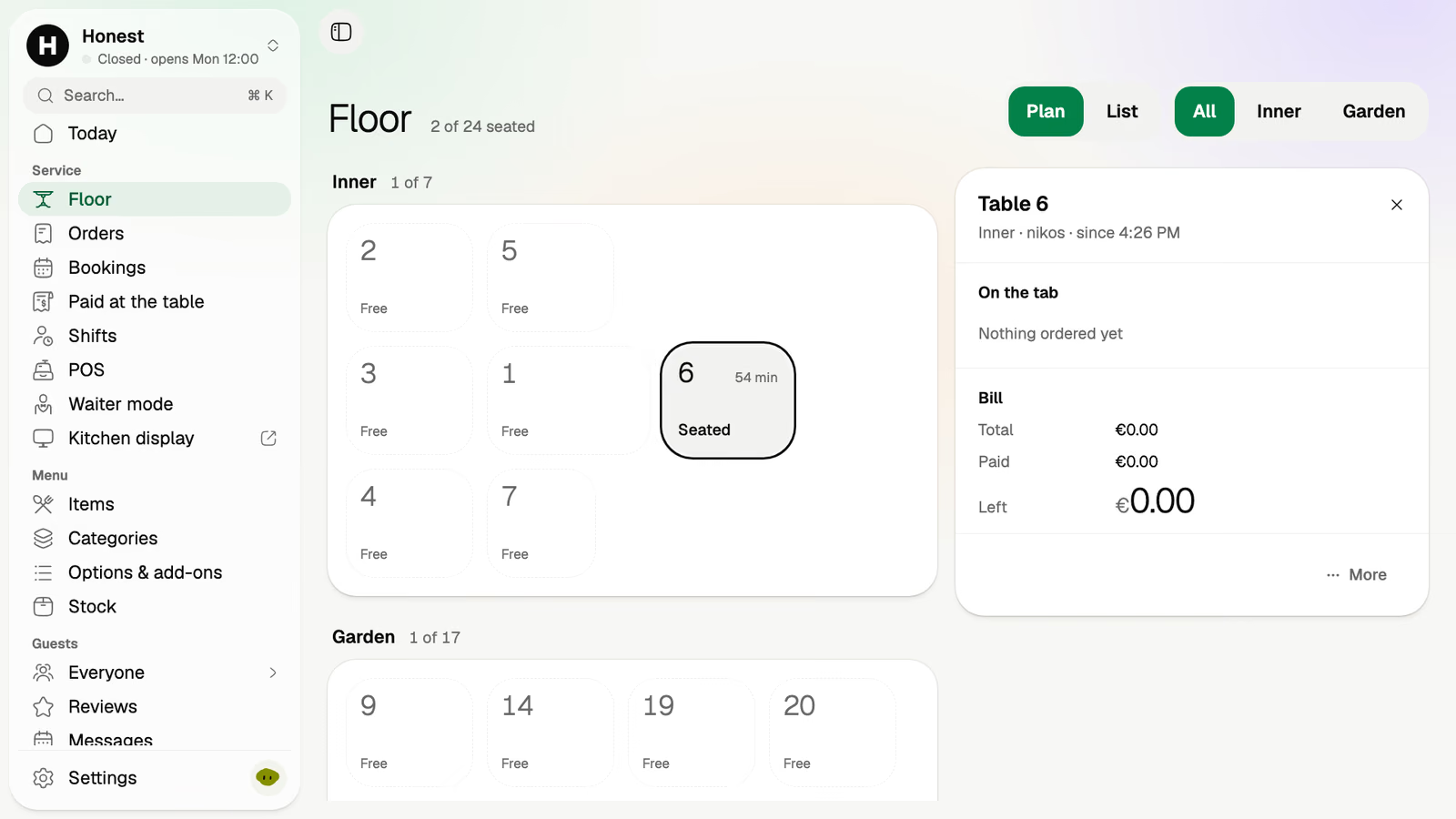
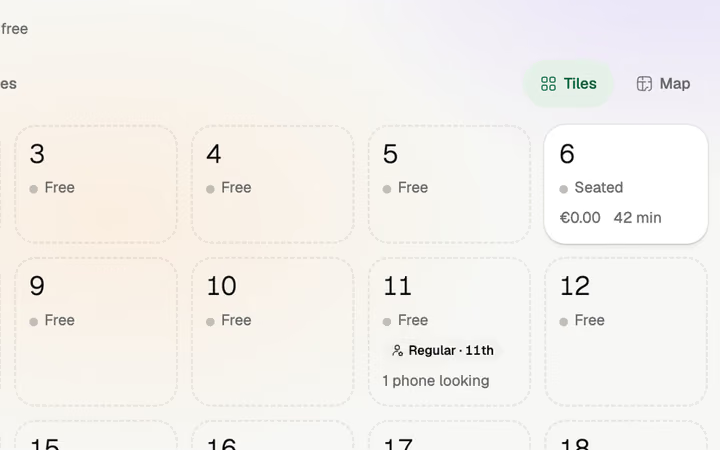
Your room as you drew it. Table 6 has been seated 54 minutes, with its total, what's paid and what's left.
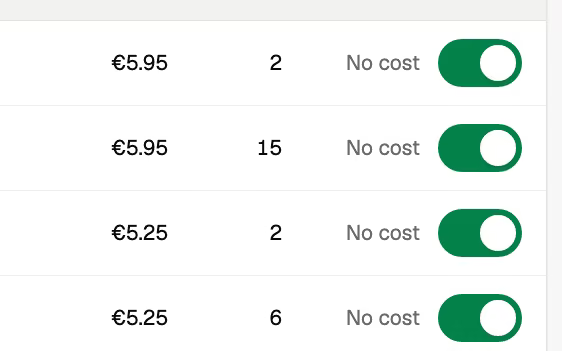
Switch a dish off once and it's gone from every phone in the room.
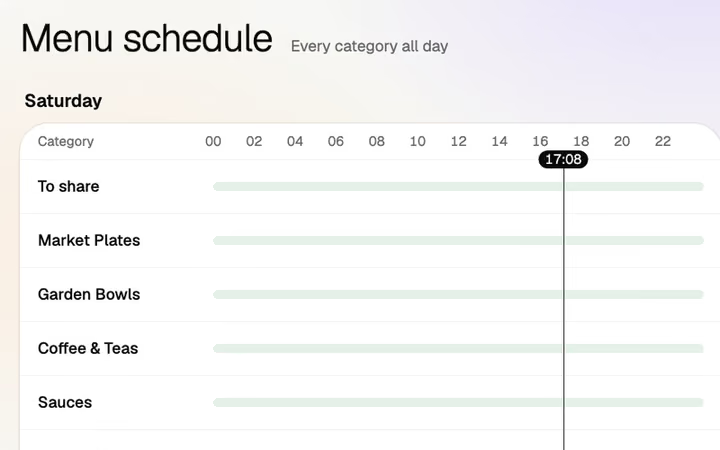
Breakfast until noon, then lunch. The menu behind the code changes at the time you set.
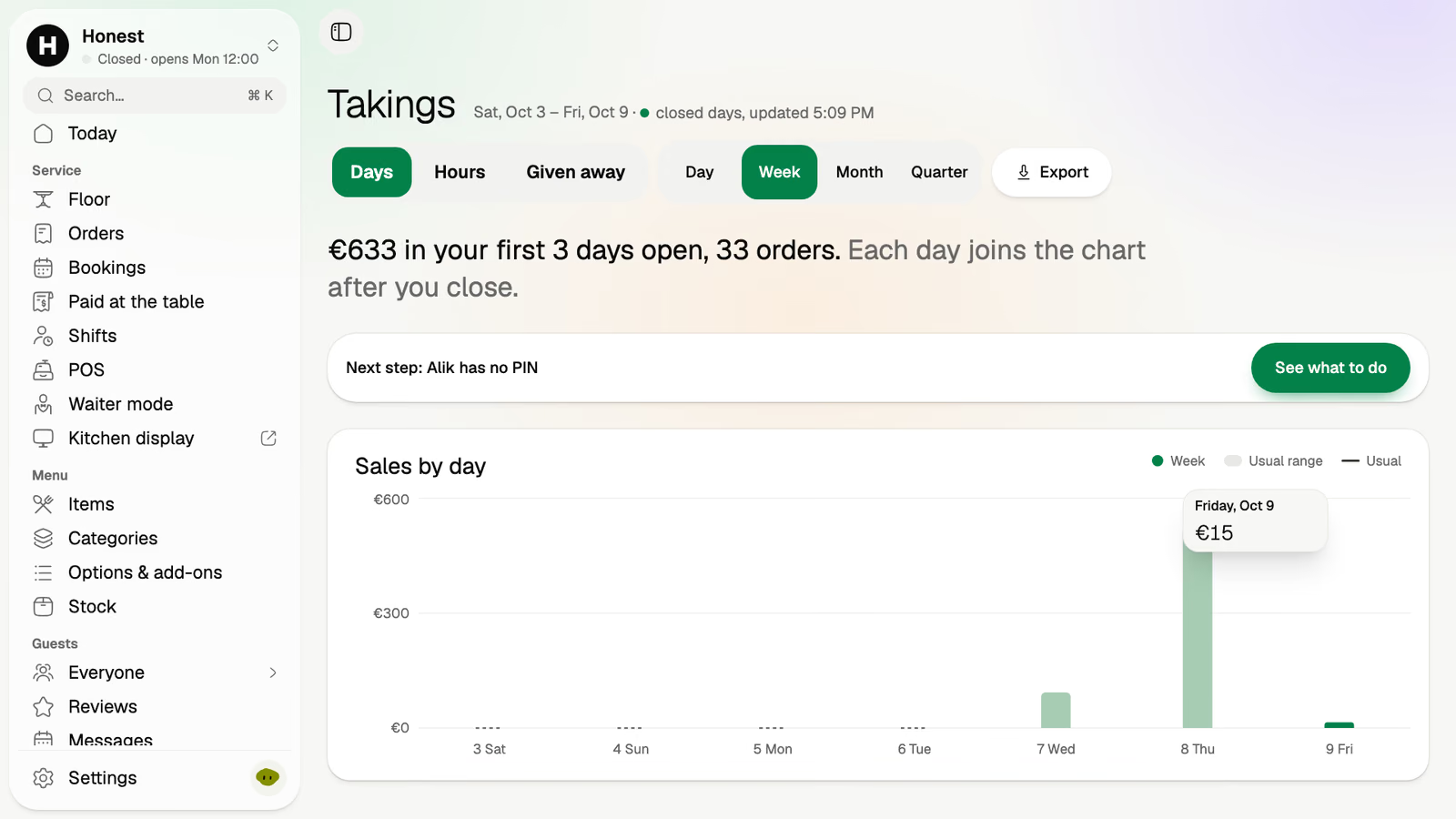
Keep your till. Each phone payment is listed with its table, amount and time, to enter on it.
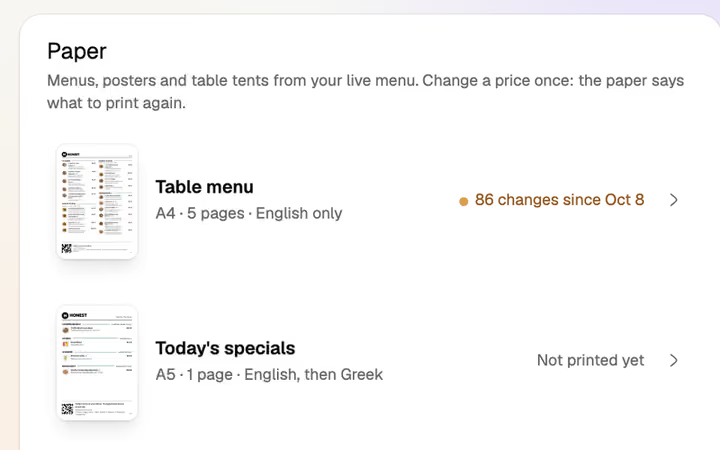
Table menus and tents print from the live menu, and Volio tells you when one is out of date.
Table 7Example
Food and drinks€40.00
Volio's small feeShown here, before paying
The guest pays€40.00 plus the small fee
To your own accountbefore the card fee€40.00
Straight to your own account with the payment provider, then to your bank.
Guests see it before they pay. One switch and you cover it instead.
Nothing when a guest pays cash or the waiter.
Not every room wants ordering from the table, and nothing has to be switched on at once.
If guests only need to read the menu, leave table ordering off. The code still opens the menu in each guest's language.
Waiters keep taking orders in waiter mode, and cash and your card terminal still work. The code stays on the table for the second round and the bill.
Monthlya monthRegular price from Jan 1, 2027: €49€39
Yearly 2 months freeRegular price from Jan 1, 2027: €40.83€32.50 a monthRegular price from Jan 1, 2027: €490€390
Monthlya monthRegular price from Jan 1, 2027: €109€89
Yearly 2 months freeRegular price from Jan 1, 2027: €90.83€74.17 a monthRegular price from Jan 1, 2027: €1,090€890
Everything in Basic, and:
Monthlya monthRegular price from Jan 1, 2027: €259€209
Yearly 2 months freeRegular price from Jan 1, 2027: €215.83€174.17 a monthRegular price from Jan 1, 2027: €2,590€2,090
Everything in Essential, and:
Founding price for the first 500 venues, locked for 24 months. New venues pay the struck price from Jan 1, 2027.
Cancel any time: your QR menu stays online, free. Ordering, payments and the rest stop until you pick a plan again.
Unlimited tables, staff and screens on every plan. Pay yearly and 2 months are free; closed for part of the year? Monthly stops any month you like.
Something else? hello@usevolio.com
Every venue starts with a card and 30 days of Pro, free, then the plan it chose. Cancel any time and the menu stays on Volio behind its QR codes, in your guests' languages, free. Ordering and payments stop.
No. The code opens your menu in the phone's browser. There's nothing to download, and guests pay with Apple Pay, Google Pay or card.
Yes. Each guest pays their own part on their own phone and can add a tip before paying. The floor shows your team what's paid and what's left on the table.
Yes. You set the tip buttons guests see, as percentages. The tip is added before paying.
Your team takes cash, or a card on your own terminal, as it does today. Volio takes nothing when a guest pays cash or the waiter.
No. "Paid at the table" lists each phone payment with its table, amount and time, to enter on the till you keep. Or let Volio's POS replace it.
Yes. You name the zones and draw the places in them: a table, a stool at the bar, a sunbed or a lounger. Each place gets its own code, and its orders arrive with its number. Volio doesn't do room service or charge to a room.
A QR menu puts the menu on the guest's phone, and they still order from a person. QR ordering sends the order to your kitchen and takes the payment. Volio does both, on the same codes.
Ordering and paying at the table come with every plan, and every plan starts with 30 days of Pro, free. Volio takes a small fee on a bill paid by phone, which guests see before they pay, or you cover. See the plans and prices on this page.
Your tables order and pay themselves