Skip to content

Home Menu boards

Last updated

Digital menu boards that follow your menu and your happy hours

See how it works

Volio's menu boards put your menu on a TV with a small Android TV box, over the counter, behind the bar or by the pool. For cafés, takeaway counters, food trucks and bars. The dishes and prices come from the menu you already keep in Volio, and happy hour prices show for the hours you set.

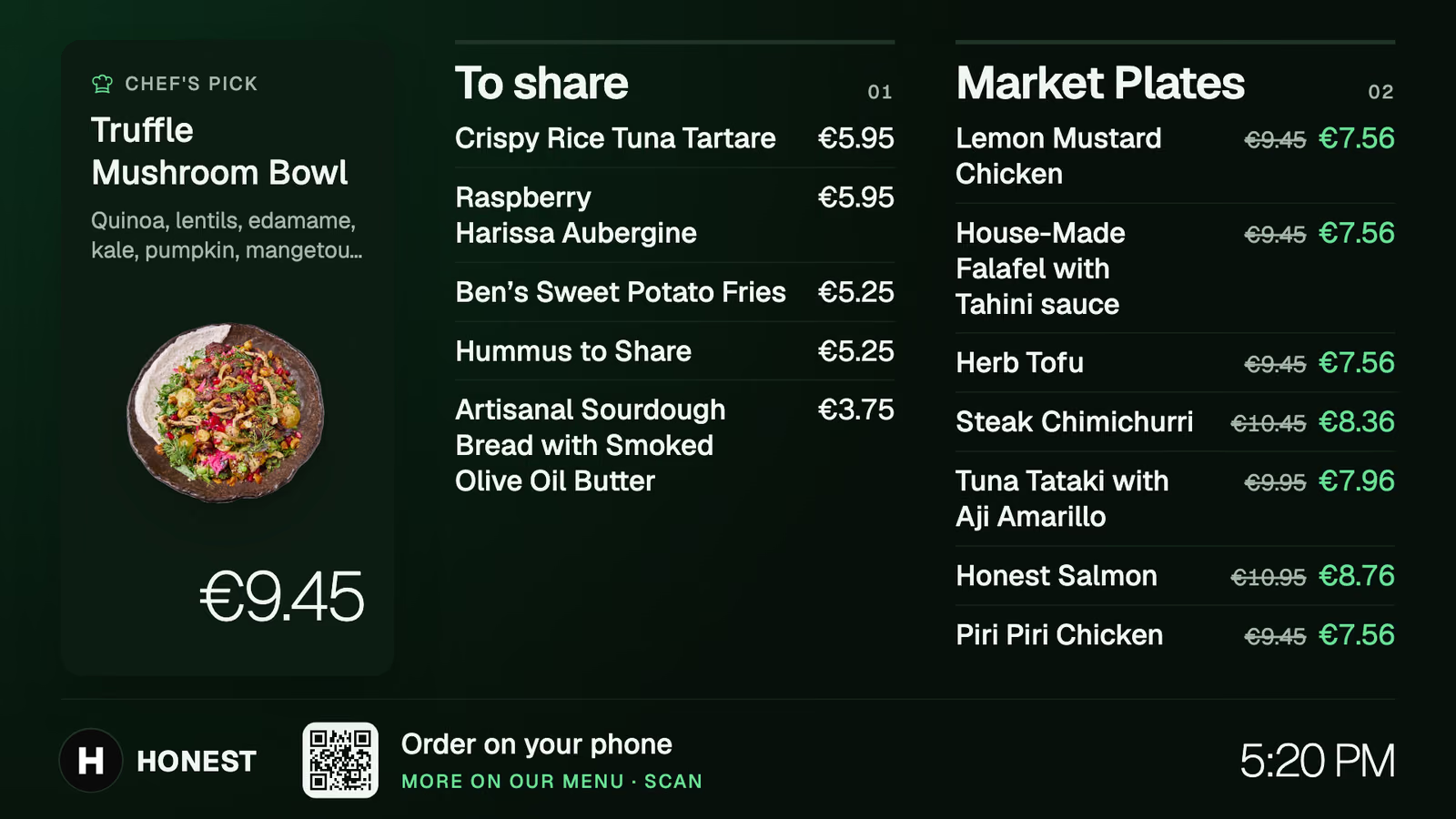
The demo venue's menu board on a TV: a chef's pick with its photo, two categories of dishes with prices, some reduced, and a code to order on a phone
A real screen from Honest, Volio's demo venue: one of its menu boards, with reduced prices shown beside the usual ones.

From the menu to the wall

How menu boards work

A board is another place your menu shows, like the phones and the kiosk. You keep one menu, and the board reads from it.

Step 1

Keep one menu

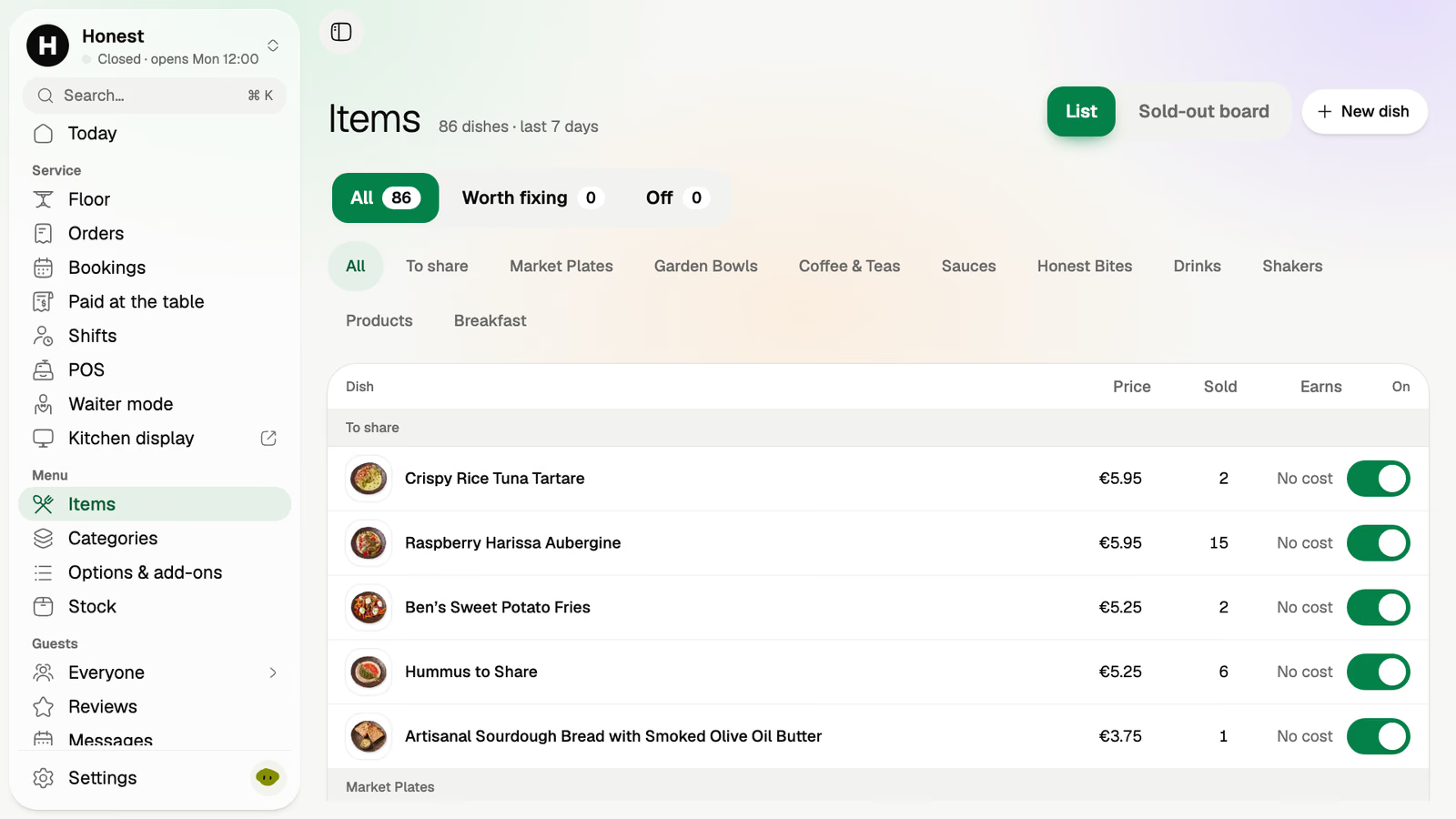
Dishes, prices and categories live in the back office. A price changed there is the price on the board. Nobody climbs a ladder with a marker.

Items in the demo venue's back office: each dish with its price, how many sold and an on/off switch

Step 2

Give each screen its categories

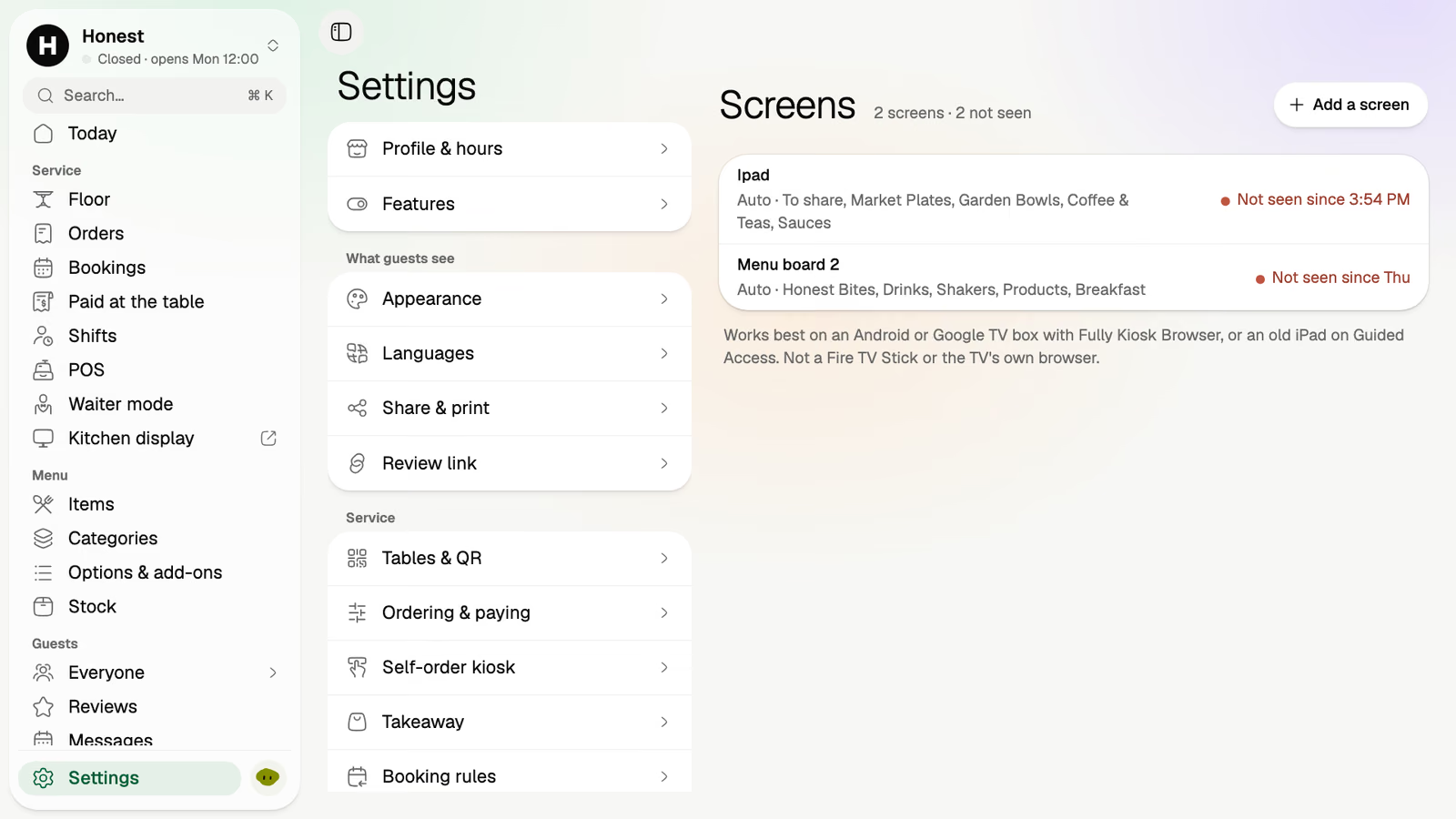
Add a screen in the back office and choose what it shows: drinks on the one behind the bar, food on the one over the counter.

Screens in the demo venue's back office: two boards, each with the categories it shows and when it was last seen
The demo venue has two boards, one for the dishes to share and one for drinks. Each lists the categories it shows.

Step 3

Set the happy hour once

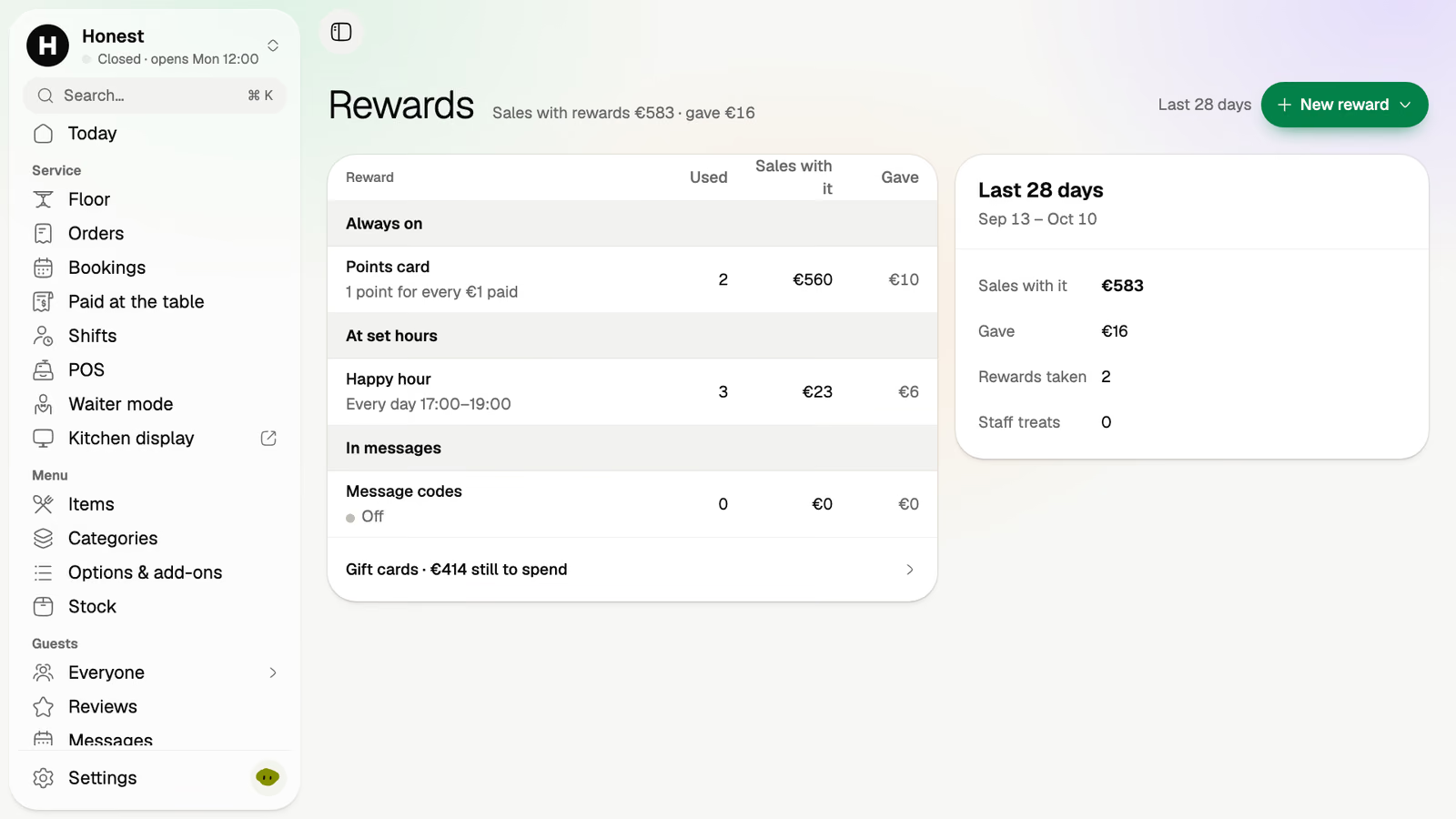
A happy hour is set once, with its hours. While it runs, the board shows the happy hour prices, and when it ends the usual prices are back.

Rewards in the demo venue's back office: a happy hour every day from 17:00 to 19:00, beside a points card and message codes

Step 4

The board is up

A chef's pick with its photo, the categories in columns, and a code guests can scan to see the full menu on their phone.

The demo venue's menu board: Truffle Mushroom Bowl as the chef's pick, To share and Market Plates with their prices

16:50, ten minutes to happy hour

The old way: a chalkboard rewritten at five, wiped at seven, and two prices argued over at the till in between.

  1. 16:50

    The usual prices

    The board over the bar shows the drinks at their usual price.

  2. 17:00

    Happy hour starts

    The board shows the happy hour prices. Nobody touched the TV.

  3. 18:59

    The last round at the happy hour price

    The board keeps the happy hour prices until the minute you set, not the minute someone remembers.

  4. 19:01

    Back to normal

    The happy hour is over and the usual prices are back on the board.

What a board needs

  • A TV and a small box

    An Android or Google TV box on the TV, or an old iPad. The board is a web page from your back office. The Screens page lists each board and when it was last seen.

  • Your menu, kept in Volio

    The board shows what the menu holds. There's no separate design file to update.

  • One board or several

    Menu boards come with the Pro plan, with as many screens as you like. Drinks on one, food on another.

What menu boards don't do

  • They don't come with a TV

    No hardware is sold. Use a screen you already have, or one you buy anywhere.

  • They don't take orders

    A board shows the menu and a code to scan. Orders come from the phones, the kiosk and the POS.

Every plan starts with 30 days of Pro, free.

Card needed · cancel any time
  1. Day 1Every Pro feature, unlocked, nothing to pay
  2. Day 24We email you what's coming, and how to cancel
  3. Day 31Your plan starts, at the price you picked. Cancel before and you pay nothing
Basic

Monthlya monthRegular price from Jan 1, 2027: €49€39

Yearly 2 months freeRegular price from Jan 1, 2027: €40.83€32.50 a monthRegular price from Jan 1, 2027: €490€390

Take orders and payments

  • Digital menu with photos and allergens
  • Menu in each guest's language (translated by machine, import from photos)
  • Guests order from the table
  • Guests pay and split from their phone
  • Takeaway and pickup orders
  • POS at the counter
  • Waiter mode on staff phones
  • Kitchen display
  • Sales reports and end of day
Essential

Monthlya monthRegular price from Jan 1, 2027: €109€89

Yearly 2 months freeRegular price from Jan 1, 2027: €90.83€74.17 a monthRegular price from Jan 1, 2027: €1,090€890

Bring guests back

Everything in Basic, and:

  • Kitchen and bar routing (several screens, printers)
  • Online bookings with deposits (tables, sunbeds, services)
  • Guest profiles (visits, spend, allergies, notes)
  • Loyalty points and regulars' perks
  • Gift cards and treat a friend
  • Happy hours and promo codes
  • Campaigns and automations (birthday, win-back)
  • Reviews and feedback
  • Paper menus printed from your live menu, and a note when one is out of date
Pro

Monthlya monthRegular price from Jan 1, 2027: €259€209

Yearly 2 months freeRegular price from Jan 1, 2027: €215.83€174.17 a monthRegular price from Jan 1, 2027: €2,590€2,090

Run it at scale

Everything in Essential, and:

  • Stock and recipes
  • Shifts: the rota with the forecast on it, the till clock and live labour %
  • Manager approvals and audit log
  • Advanced analytics and exports
  • Several venues in one account
  • Integrations and API
  • Self-order kiosk on your own tablet
  • Menu boards on your TVs, following the menu
  • Priority support and onboarding call

Founding price for the first 500 venues, locked for 24 months. New venues pay the struck price from Jan 1, 2027.

Cancel any time: your QR menu stays online, free. Ordering, payments and the rest stop until you pick a plan again.

Unlimited tables, staff and screens on every plan. Pay yearly and 2 months are free; closed for part of the year? Monthly stops any month you like.

Essential

How do you want to pay?

Questions owners ask

Something else? hello@usevolio.com

What do I need for a menu board?

A TV with an Android or Google TV box plugged in, or an old iPad. The TV's own browser and Fire TV sticks aren't the way. No hardware is sold. You add the screen in the back office and choose the categories it shows.

Do prices change on the board when I change them in the menu?

Yes. The board reads from your menu, so a price changed in the back office is the price on the board.

How does happy hour show?

You set the happy hour's hours once. While it runs, the board shows the happy hour prices. Happy hours come with the Essential plan.

Can I have more than one board?

Yes. Menu boards come with the Pro plan, with as many boards as you like, and each shows the categories you give it.

Can guests order from the board?

The board shows a code that opens your menu on the guest's phone. Ordering from the phone is part of QR ordering.

Your menu on the wall, at today's prices

See how it works