Volio
VolioOrder taking app for waiters: what to look for
An order taking app puts the POS in the waiter's hand: open a table, add a round, send it to the kitchen. Seven checks, and phones versus handhelds.
An order taking app puts the POS in the waiter’s hand: they open table 12, add the round, and it goes straight to the kitchen and the bar, with no walk back to the till. Pick it by two things before any feature list: which POS sits behind the app, and whether it runs on phones you already have or on handhelds you have to buy.
If you are keeping your till, read a POS that works beside your till first: the app can only send orders where its system sends them.
Seven things the app must do
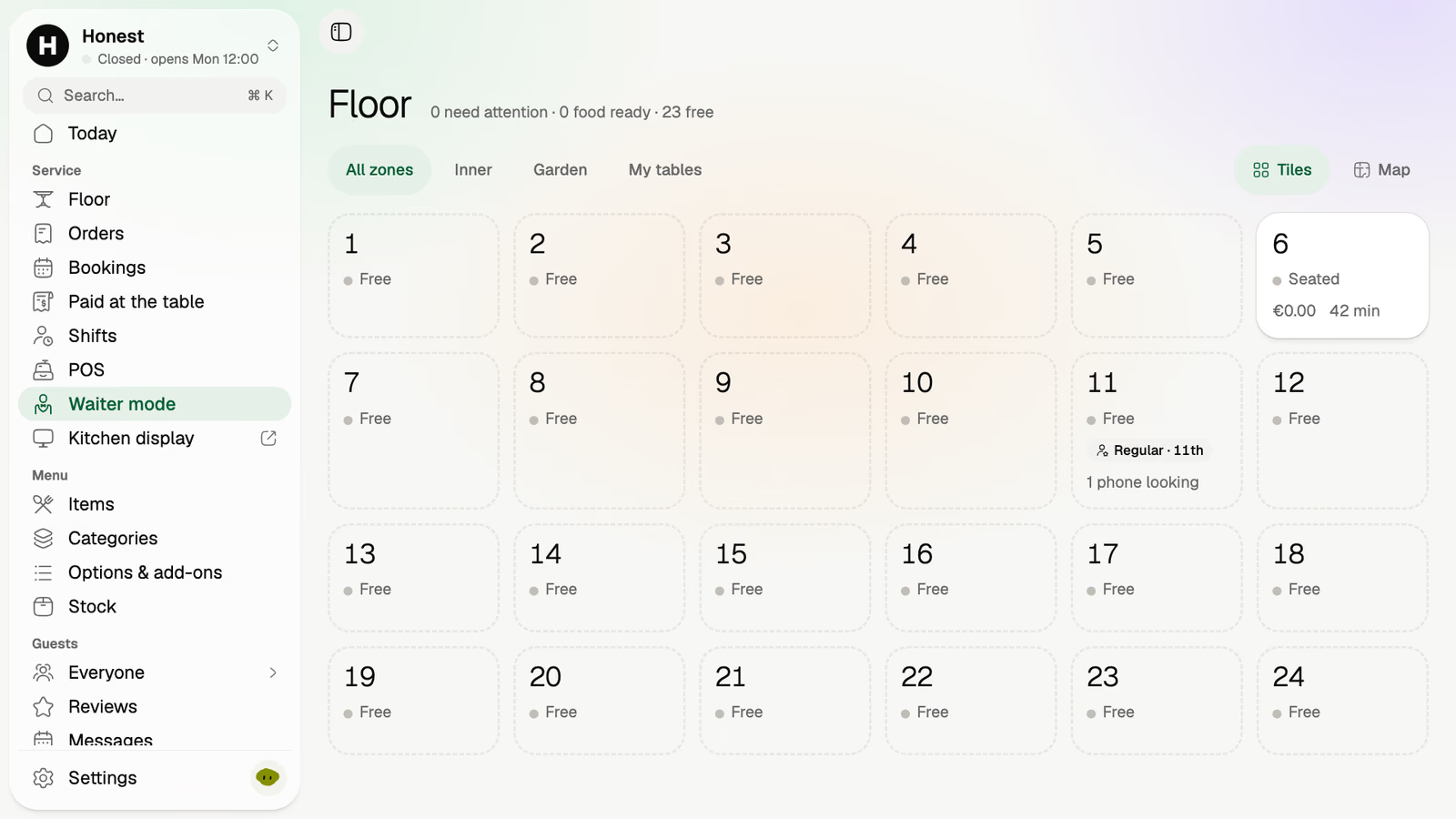
- Show the room as tables. The floor as you drew it: which tables are seated, for how long, and what is open on each. A list of order numbers is no use on a terrace.
- Ask the dish’s questions. Size, side, how it’s cooked, no ice. If the app does not ask, the kitchen sends someone out to ask, and the waiter has saved nothing.
- Send each dish to the place that makes it. Drinks to the bar, food to the kitchen, from one order, without the waiter choosing.
- Add a round to an open table. The second bottle of wine joins table 12’s tab. It should not start a new bill.
- Know how the table paid. On the guest’s phone, in cash or on the card machine, and what is still owed.
- Run on the phones staff already carry, or on cheap ones you own, as well as on dedicated hardware.
- Say how it is priced. Per device, per member of staff, or neither. In summer, when three seasonal waiters start, that line decides the bill.
Then hand the app to your newest waiter for ten minutes before you sign anything. Big tap targets and a menu laid out the way the kitchen reads it will show up in those ten minutes.
A phone you own or a handheld you buy
A dedicated handheld. Square, for example, sells Square Handheld at $399, or $37 a month over 12 months, as of October 2026. Square says it is “IP54-rated to withstand water splashes and dust”, has “a battery designed to last all day”, and takes chip and contactless cards itself. Square’s US plan chart shows “Take orders tableside” on Plus ($49 a month per location) and Premium, not on Square Free. Three handhelds on Plus come to $1,197 up front and $49 a month, before card fees. The sum is ours.
Staff phones. No hardware to buy, and the waiter already knows how to use it. The catches are with people:
- Not everyone will agree. Some staff will not want work on their own phone. Ask, and never make it a condition.
- Batteries. A personal phone at 20% by 9 pm stops taking orders. Keep a charging spot by the pass.
- Spares. Two cheap phones owned by the venue, charged and ready, cover the waiter who forgot theirs.
On a phone the venue owns, lock it to the ordering app so it does not become the staff’s music player. On an iPhone, Apple’s Guided Access lets you “temporarily restrict your device to a single app”. On Android, app pinning keeps an app’s screen “in view until you unpin it”, and with app pinning on you need your PIN, pattern or password “before you can unpin”. If the app runs in the browser, the pinned app is the browser.
A phone does not read a card by itself unless the system supports tap to pay on the phone. Square lists Tap to Pay on iPhone and Android on every plan. Ask any vendor how the waiter takes a card, and on which phones.
The POS behind the app
The waiter app is a window onto a POS. Many belong to one POS: Square’s app sends to Square, and Flexybox describes its staff app’s “Integration with our POS system”. Fine if you run that POS. If you don’t, a waiter app from one company does not see another company’s tables unless the two are connected.
Questions to ask:
- Do waiter orders, guest QR orders and counter orders land on the same kitchen screen, in the same queue?
- When a guest pays on their phone, does the waiter see the table as paid?
- If you keep your till, how do the app’s sales reach it: a connection, or a list someone enters at close?
The parts list for running all this on devices you own is in POS system without hardware, including what to ask about the internet going down.
Waiter app, QR ordering, or both
A waiter app saves the walk back to the till. It does not remove the walk to the table: someone still goes to the table to take the order, and again with the bill.
Ordering from a QR code removes those trips. Guests order rounds and pay from their own phones, and the waiter spends the time on the tables that want to talk: the wine, the birthday. Short-staffed restaurant counts the trips.
Run both from one system if you can, so a table that started on the waiter’s phone can order its second round from the code onto the same tab. Ask the vendor to show it: Square, for one, lets staff add items from its POS to a guest’s QR tab.
What Volio does
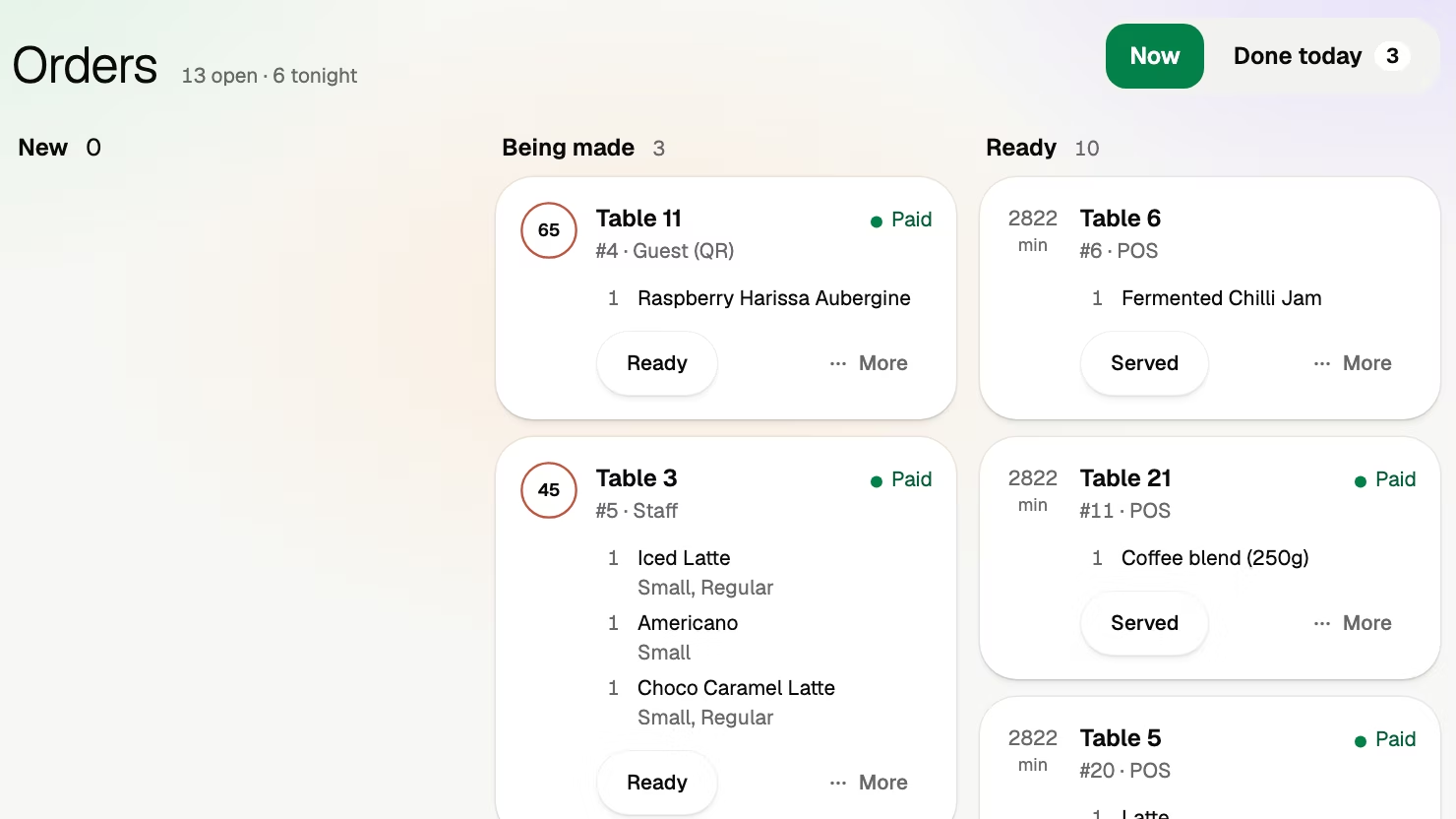
Volio’s waiter mode shows the room as tiles on a staff phone. A tile shows whether the table is free or seated, for how long, and what is open on its tab. Waiter orders, the POS at the counter and guests ordering from the QR code all go to the same orders board, each order marked paid or not. Kitchen places, on the Essential plan, send each dish to the screen of the place that makes it.
Waiter mode comes with the first paid plan, with the POS and the kitchen display. Every plan has unlimited staff and phones, so a seasonal waiter adds nothing to the plan: see the plans and prices, and the team side of the home page.
The limits. Volio sells no hardware and no card reader: the table pays on the guest’s phone, in cash or on your own card terminal. It runs in the browser and promises no offline mode. Volio takes a small fee on a bill paid by phone. Guests see it before they pay, or the venue switches to covering it. Nothing when a guest pays cash or the waiter. And it is new: Volio launched in October 2026.
Sources
Read on 12 October 2026. Prices are Square’s US prices on that day.
- Square: Square Handheld (price, IP54, battery, cards), hardware shop
- Square: Restaurant POS pricing, US (Take orders tableside, Tap to Pay, plan prices)
- Square Support: Set up open tabs for your online selling profile
- Flexybox: Ordering app for staff
- Apple: Use Guided Access on iPhone or iPad
- Google: Pin & unpin screens